Why use FastVPN for Android?

FastVPN™ protects your Android, so you can scroll, shop, and stream 4K video smoothly.

Download on Play Store
FastVPN™ protects your Android, so you can scroll, shop, and stream 4K video smoothly.

Tap-and-go security

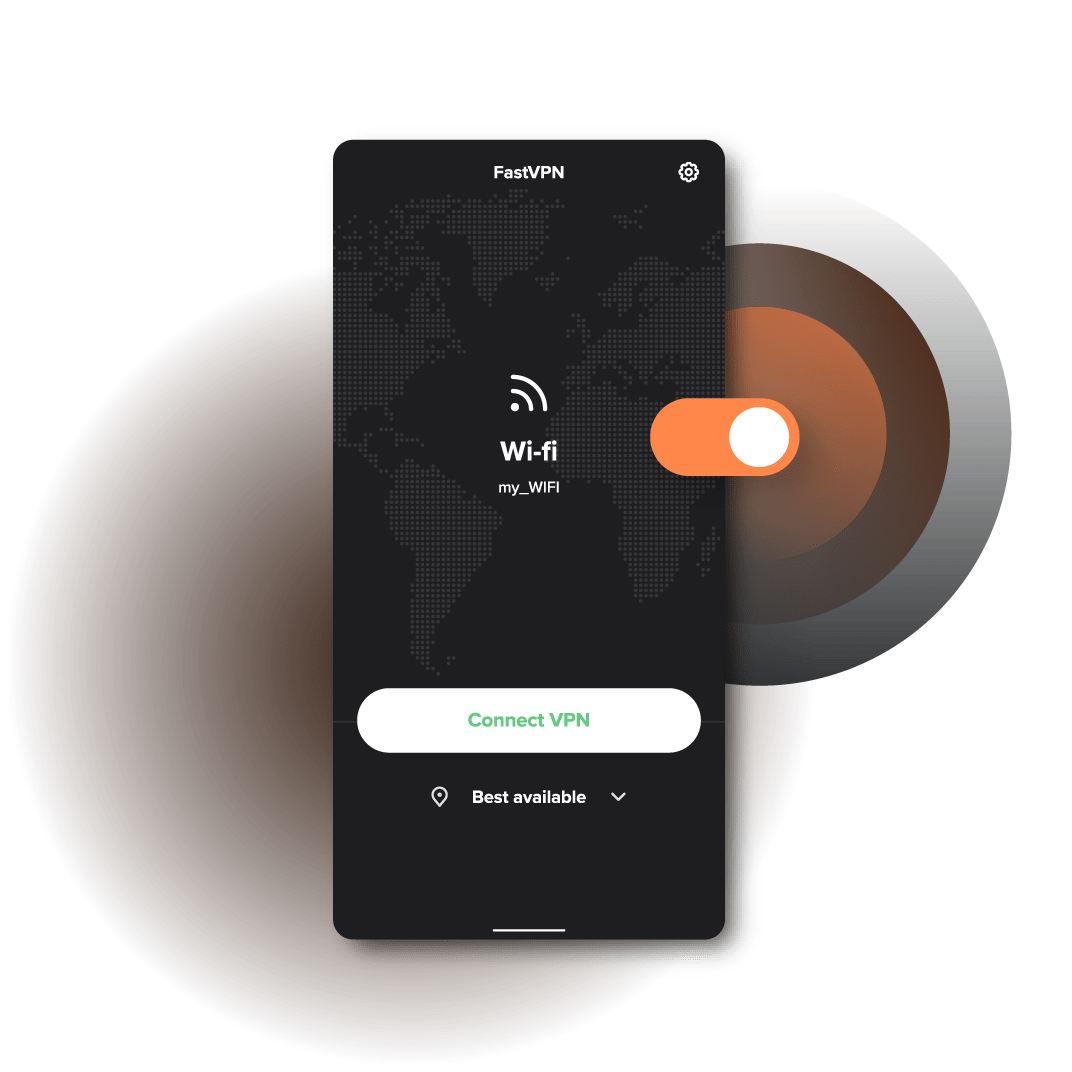
Android phone with VPN app and large Connect button — tap-and-go security for instant protection and smooth streaming.

Connect instantly on Android

Open the FastVPN app for Android and lock down your phone in seconds.

Stream without slowdowns

Enjoy smooth HD video and gaming on 2,700+ high-speed servers with zero throttling.

Freedom on the move
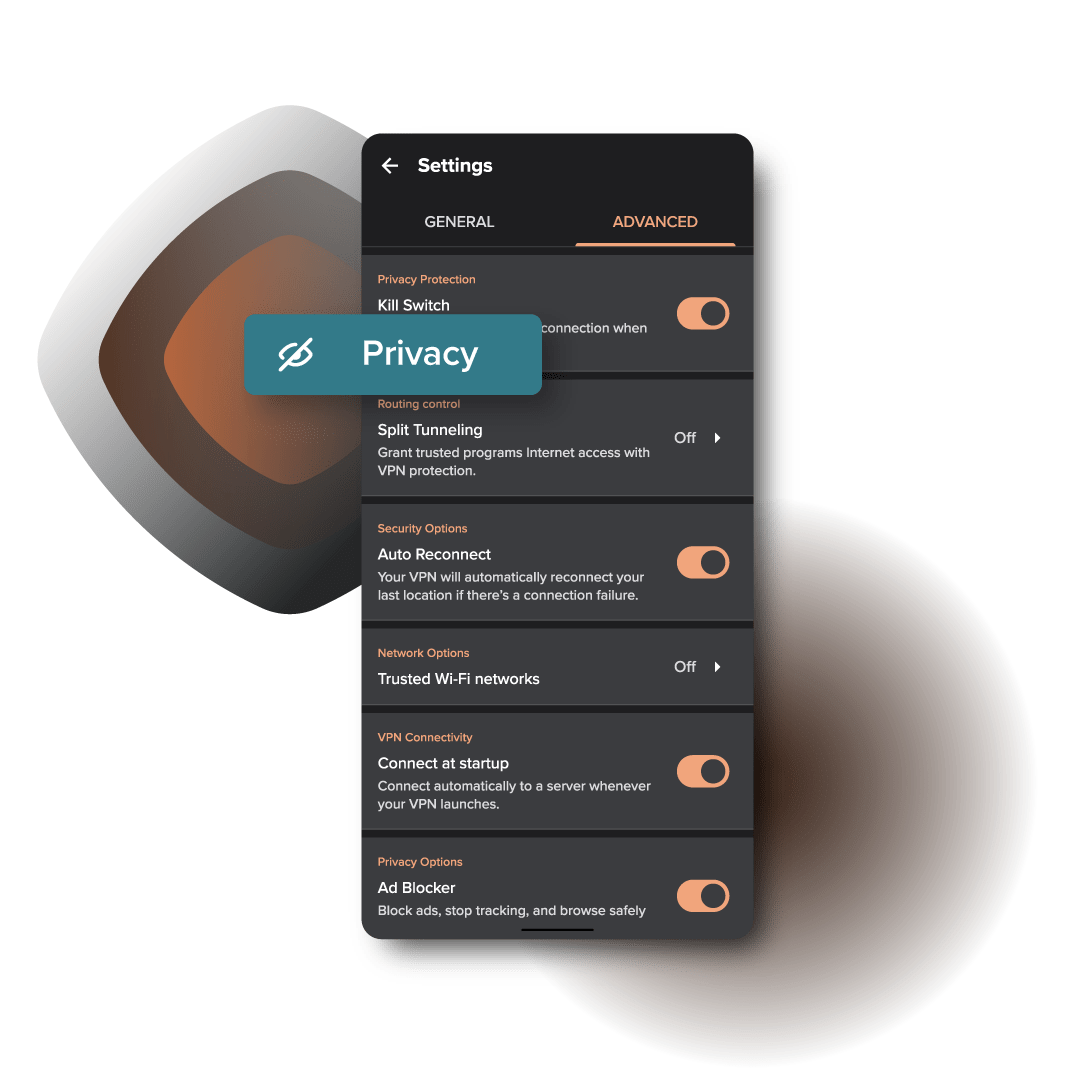
Android VPN settings screen with Privacy options including Kill Switch, Split Tunneling, Auto Connect, VPN protocol, and Ad Blocker.

Stay safe on public Wi-Fi

Protect your calls, payments, and chats at the café, airport, or hotel with bank-level encryption.

Block ads and trackers

FastVPN strips out creepy ads and trackers, so your browsing stays private and your battery lasts longer.

Connect worldwide on your Android

Choose from 2,700+ fast servers in 100+ countries to stream, game, and work safely on your Android phone.

Albania
Argentina
Australia
Austria
Belgium
Brazil
Bulgaria
Canada
Chile
Colombia
Costa Rica
Croatia
Czech
Denmark
Estonia
Finland
France
Germany
Greece
Hong Kong
Hungary
Iceland
India
Ireland
Israel
Italy
Japan
Latvia
Luxembourg
Malaysia
Mexico
Moldova
Netherlands
New Zeland
Norway
Pakistan
Peru
Philippines
Poland
Portugal
Romania
Serbia
Singapore
Slovakia
Slovenia
South Africa
South Korea
Spain
Sweden
Switzerland
Taiwan
Thailand
Turkey
Ukraine
U. A. Emirates
U. Kingdom
United States

Which FastVPN plan suits your Android?

Get our lowest yearly rate or stay flexible monthly — both plans include a 30-day money-back guarantee.

1-Year plan

$34.56/yr65% Off*

$0.00 for 30 days

$12.00/yr ($1.00/mo)

after trial

$12.00 after trial — Renews for $34.56/yr

Monthly plan

$0.00 for 30 days

$5.88/mo

after trial

$5.88 after trial — Renews for $5.88/mo

*30-day money-back guarantee

Complete online protection for Android

Stay private while streaming, browsing, and banking — FastVPN’s no-log encryption shields every Android device.

Icon — no-log privacy. FastVPN keeps no records of your browsing or searches.

No-log privacy

Browse with confidence — we never record, store, or sell your online activity or searches.
Icon — secure every device. Protect up to five phones, tablets, and laptops with one account.

Secure every device

Protect up to five gadgets, phones, tablets, and laptops, with one account at no extra cost.
Icon — built-in ad blocker. Blocks ads, trackers, and malicious domains for faster, private browsing.

Built-in ad blocker

Block ads, trackers, and malicious domains, so pages load faster and your browsing stays private.
Icon — hide your IP. Replaces your real IP with a secure one to make tracking harder.

Hide your IP address

Swap your real IP for a secure one, making it harder for sites and advertisers to identify you.

FastVPN for Android at a glance

FastVPN for Android: one-tap setup, 2,700+ servers, 4K streaming, no caps, no-log privacy, ad blocker.

Set up in one tap and stream 4K on 2,700+ servers with no data caps, backed by no-log privacy and a built-in ad blocker.

Which VPN protects your Android for less?

FastVPN gives your Android phone no-log privacy, smooth streaming, and real human support without the premium price.

VPN provider comparison
FeatureFastVPNNordVPNExpressVPNSurfshark
Connect
Multiple devices simultaneously
Unlimited*
6
5
Unlimited
Monthly
Plan Cost
$5.88/mo
$12.99/mo
$12.95/mo
$12.95/mo
1-Year
Plan Cost
$12.00/yr
$1.00/mo
$59.88/yr
$4.99/mo
$99.84/yr
$8.32/mo
$47.88/yr
$3.99/mo

*Unlimited connections apply to privacy servers only. Prices verified August 2025; competitors may change rates.

VPN Trust Initiative member badge.

Which extra tools do I get on Android?

FastVPN for Android adds WireGuard® speed, split tunneling, DNS-leak blocking, dedicated streaming servers, and a built-in ad blocker.

WireGuard speed

Connect with the next-gen WireGuard protocol for quicker, lighter, and more secure sessions.

Split tunneling

Choose which apps stay local and which run through FastVPN for smoother banking, gaming, or printing.

Streaming mode

Launch your simplified streaming interface to jump into TV shows fast — no extra settings needed.

DNS-leak blocking

FastVPN keeps DNS requests inside the tunnel, so your ISP can’t track or log the sites you visit.

Auto reconnect

Turn on auto reconnect and FastVPN re-establishes protection whenever you switch networks.

Unlimited bandwidth

Stream, browse, and download without caps — FastVPN never limits your data.

Freedom on your Android

Android icon for one-click protection on phone.

Stream anywhere, work securely, and browse privately on your Android, backed by a 30-day money back guarantee.

Download on Play Store
30-day money back guarantee

Works on every platform

Protect every device with one FastVPN account — apps for Windows, macOS, Chrome, Android, iOS, Linux, routers, and smart-TVs.

Frequently asked questions

A Virtual Private Network creates an encrypted tunnel between your Android phone and the internet. FastVPN hides your real IP, blocks Wi-Fi snoops, and lets you reach geo-restricted sites through 2,700+ servers. One tap delivers private, uncensored, faster browsing wherever you are today.
Download the FastVPN app from Google Play or Spaceship.com, sign in with your Namecheap account, then tap Connect VPN to add the profile. Pick a location — or let Best Available choose the fastest server — and you’re protected in seconds, backed by a 30-day money-back guarantee.
Open FastVPN, tap the purple power icon, and the app auto-connects with your last-used protocol. Swipe up to pick another country, star favorites, and enable Auto Reconnect so protection returns whenever networks change. A green key icon confirms you’re safely tunneled each time.
Go to Settings › Network & Internet › VPN to view, disconnect, or remove any profile. FastVPN also sits in your app drawer and Quick Settings tile, offering one-tap control without menu-digging; the key icon in your notification bar shows it’s active.
Tap FastVPN’s power button and wait for the key icon to vanish. Alternatively, visit Settings › Network & Internet › VPN, select FastVPN, and press Disconnect. Still reconnecting? Disable Auto Connect or uninstall temporarily, then confirm your IP has returned to normal outside the tunnel.
Tap the location pin to browse 2,700+ servers or search by country for an instant switch. For deeper tweaks, open Preferences › Settings › Protocol and choose WireGuard, IKEv2, or OpenVPN. Turn off Auto Connect first so you can select the exact server and protocol you want today.
Casting needs devices on the same local network. In FastVPN, go to Settings › Split Tunneling, exclude Google Home or Chromecast, then reconnect. Your phone stays encrypted for everything else while casting traffic bypasses the tunnel, preventing HD buffering and handshake errors at once.
Disconnect FastVPN, tap the gear, choose Settings, scroll to Advanced, and select Split Tunneling. Toggle it on, pick apps that should bypass the VPN, and reconnect. Ideal when banking apps need your local IP while browsers and streams stay encrypted at all times too.
FastVPN offers WireGuard, IKEv2, and OpenVPN. WireGuard is fastest for streaming and gaming, with modern encryption. IKEv2 balances stability and battery life on mobile data. OpenVPN works when firewalls block others. Switch anytime under Settings › Protocol without losing favorites or history.
No. FastVPN follows a strict no-log policy across every platform. The Android app never records connection times, session metadata, or browsing activity. Your sites, downloads, and DNS requests stay private, giving you true anonymity on public Wi-Fi or cellular networks where advertisers cannot profile you either.
Disclaimer

The FastVPN app is currently available in English only.

A valid email is required