
A good contact form is like a digital handshake. Forms help start the conversation between you and website users, building trust and helping you grow your business. Whether you want to capture leads, grow your newsletter, or support your customers, it's essential to know how to create contact forms that matter.
Let's explore why good contact forms can help you build connections and the best ways to add them to your site, no matter your platform or skill level.
What is a contact form?
A contact form is an online form embedded on your website that allows visitors to send you messages and provide information. These forms typically collect essential details such as names, email addresses, phone numbers, and unique messages about the end user.
From small businesses to nonprofits and individual creators, having a contact form on your site ensures that your audience can easily connect with you, making forms an indispensable tool for any online presence.
In a broader sense, a contact form is any digital gateway where you collect user information online. These forms serve as the most reliable bridge between you and your website visitors, enabling you to respond directly and personally. Beyond just opening a line of communication, contact forms help connect users to your other services, products, and valuable online content.
Why modern websites still need forms
The internet provides us with thousands of ways to gather information about our customers, but the classic contact form offers several benefits that other channels can't match. Here are a few ways that contact forms keep people engaged.
Lead generation – Turn casual visitors into potential customers by encouraging them to share their information voluntarily.
Newsletter signups – Build your audience and stay in touch with updates and offers by using forms to collect email addresses for your list.
Customer inquiries – Provide a direct and secure channel for questions or support, minimizing support-related social media DMs.
Event registrations – Streamline signups with registration forms and collect key information for webinars, launches, and more.
User feedback – Use feedback forms to gather valuable user feedback and insights from your visitors.
Accept payments – Some forms can be used to securely accept payments online for products, services, or event tickets.
Your website is one of the few places online where you have complete control over how you interact with your visitors — and how they interact with you. With more than eight billion people in the world, every visitor to your site is a unique opportunity, and you may only get one chance to make a lasting impression.
A thoughtfully designed contact form helps you welcome new connections, showcase your professionalism, and encourage visitors to engage with your content. Don’t miss the chance to build meaningful relationships. Use forms to invite your audience in, start a conversation, and become an integral part of your community.
Designing an effective contact form
Creating an effective contact form is all about making it as easy as possible for website visitors to reach you. The best contact forms are simple, intuitive, and mobile responsive, ensuring a smooth experience on any device.
Here are some general best practices to consider when designing your on-page forms.
Keep forms short– Only request the essential information you need, making it easier and quicker for users to complete the form.
Use clear labels– Label each field clearly so users immediately understand what information is required.
Provide straightforward instructions– Offer simple, direct guidance to help users fill out the form correctly.
Design for efficiency -– A well-designed form encourages more people to reach out and ensures you collect the correct details without unnecessary hassle.
3 ways to add contact forms: Plugins, builders, and embeds
There are several ways to add forms to your website, especially with the wide range of form builders and WordPress form plugins available. The exact process will vary slightly, depending on the content management system (CMS) you use, but the steps are often the same.
Here's a breakdown of the most popular methods and when to use each.
Using WordPress plugins
For WordPress users, there are many excellent plugins available to boost website functionality, and that includes contact forms. Two of the most popular options are Contact Form 7 and WPForms, each with millions of installations and excellent reviews. Let's compare the essentials of these two options.
Contact Form 7
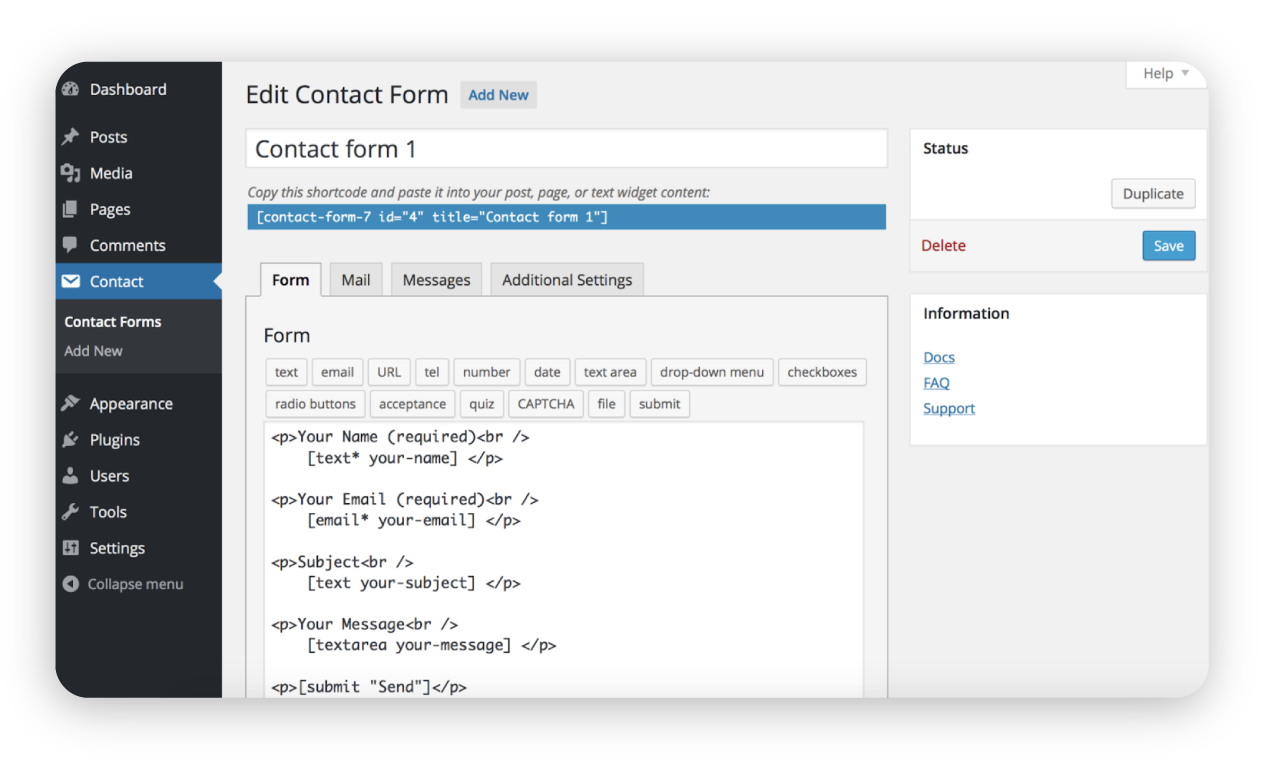
Setup– Install from the WordPress plugin directory, activate, and create your first form using simple shortcodes.
Features– Free, flexible, supports custom fields and basic spam protection.
Best for– Simple contact forms where you want full control over the fields and layout.
WPForms
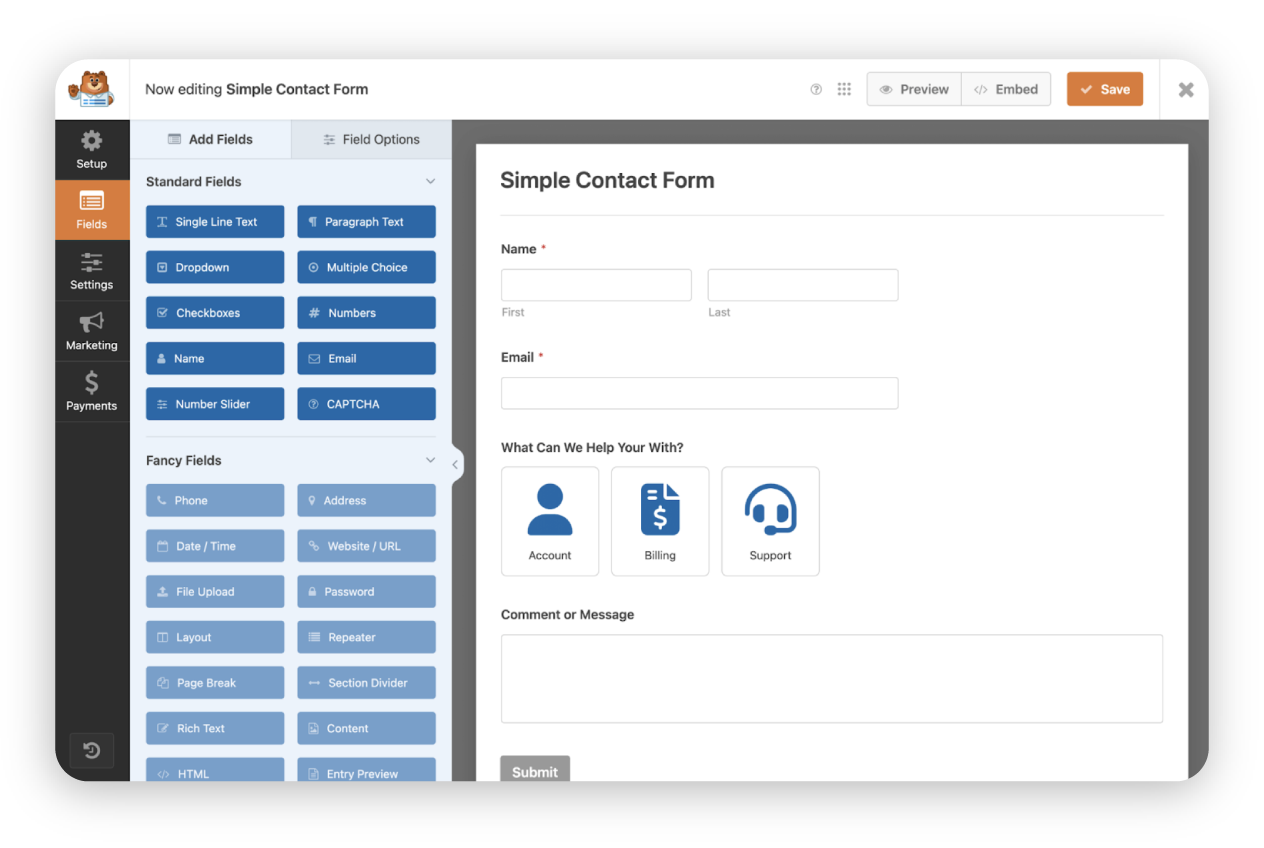
Setup– Install and use the drop form builder to create forms with templates or from scratch.
Features– User-friendly interface, support for file upload fields, multi-page forms, accept payments via integrations, Google Sheets integration, conversational forms, customizable confirmation messages, advanced customization options, excellent support team, free version available, entry management, strong spam protection, and mobile devices compatibility.
Best for–Beginners, advanced users, or anyone who wants advanced features without the complexity.
Adding forms with site builders
Many people use addon site builders to design their web pages, and these often include contact form tools. Here's a comparison of Elementor and Themify, two of the most popular site builder platforms.
Elementor
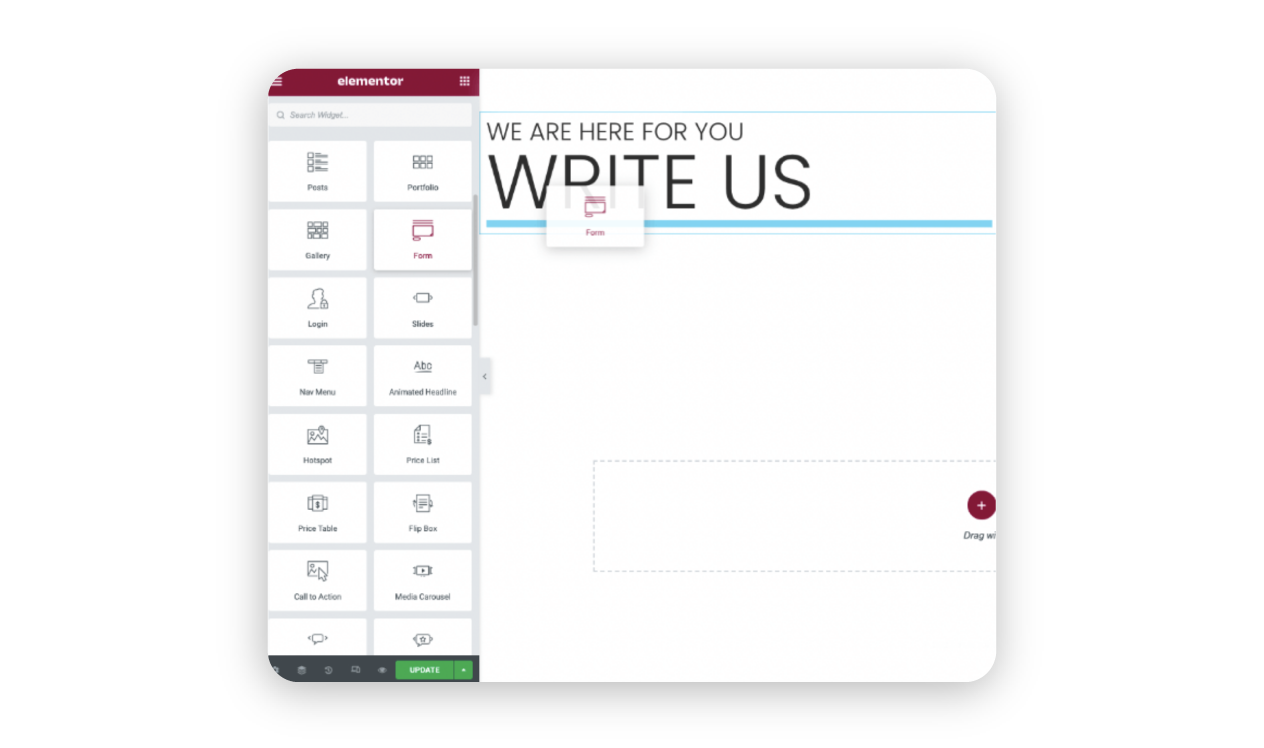
How it works– Use the WPForms widget or Elementor's own drop form builder. Drag it into your page, select or build a form, and customize the look in real time.
Benefits– Visual editing, live preview, seamless integration with your site's design, and the ability to add custom CSS for advanced styling.
Themify
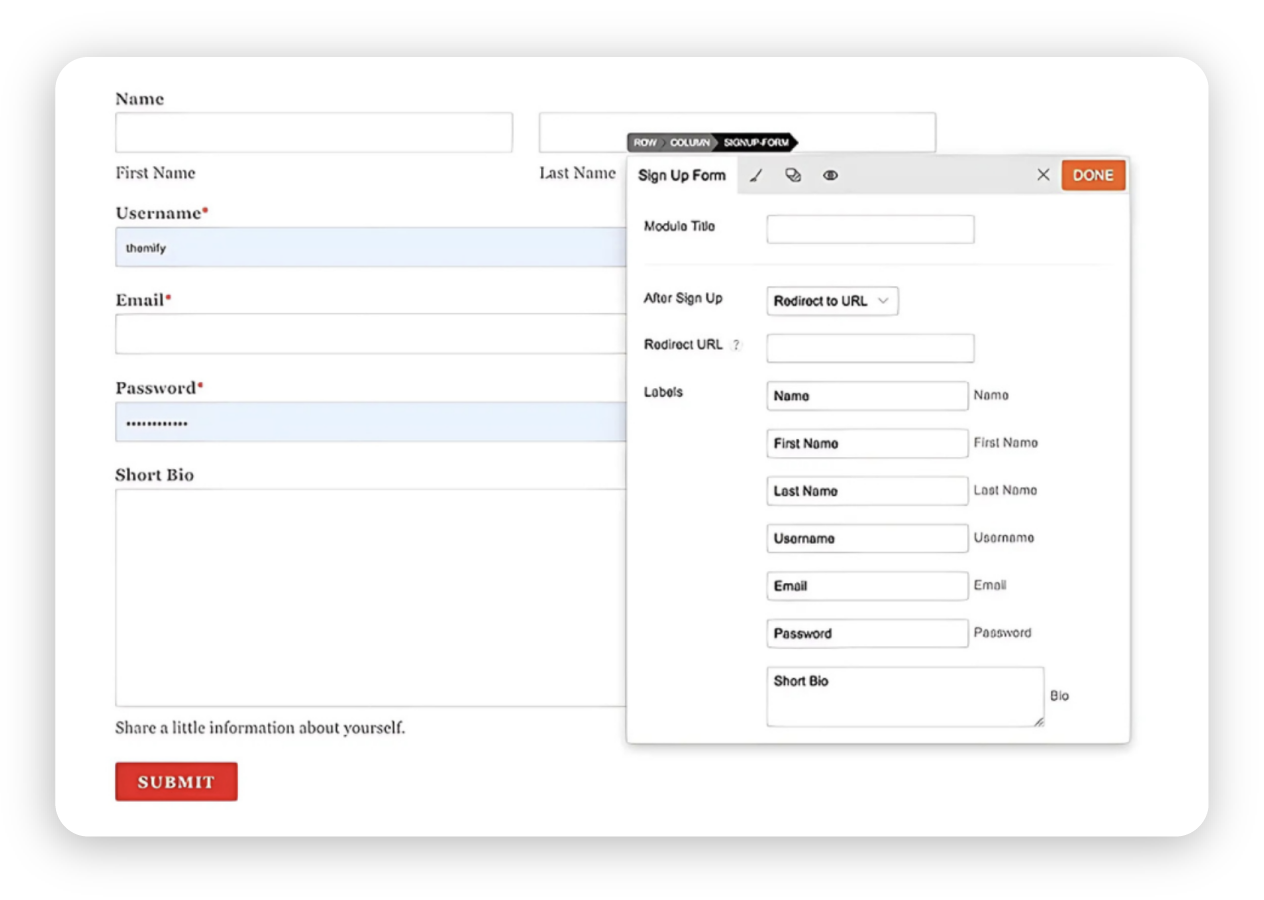
How it works– Use the Themify Builder Contact Addon to drag and drop fields, including file upload fields, set up notifications, and style your form visually.
Benefits– Unlimited forms, flexible field arrangement, easy styling for any theme, and the ability to use custom CSS for advanced form customization.
Embedding forms from marketing platforms
People who use marketing automation platforms like Mailchimp and HubSpot can rely on the options above, with the added option of embedding forms created by those platforms.
Mailchimp
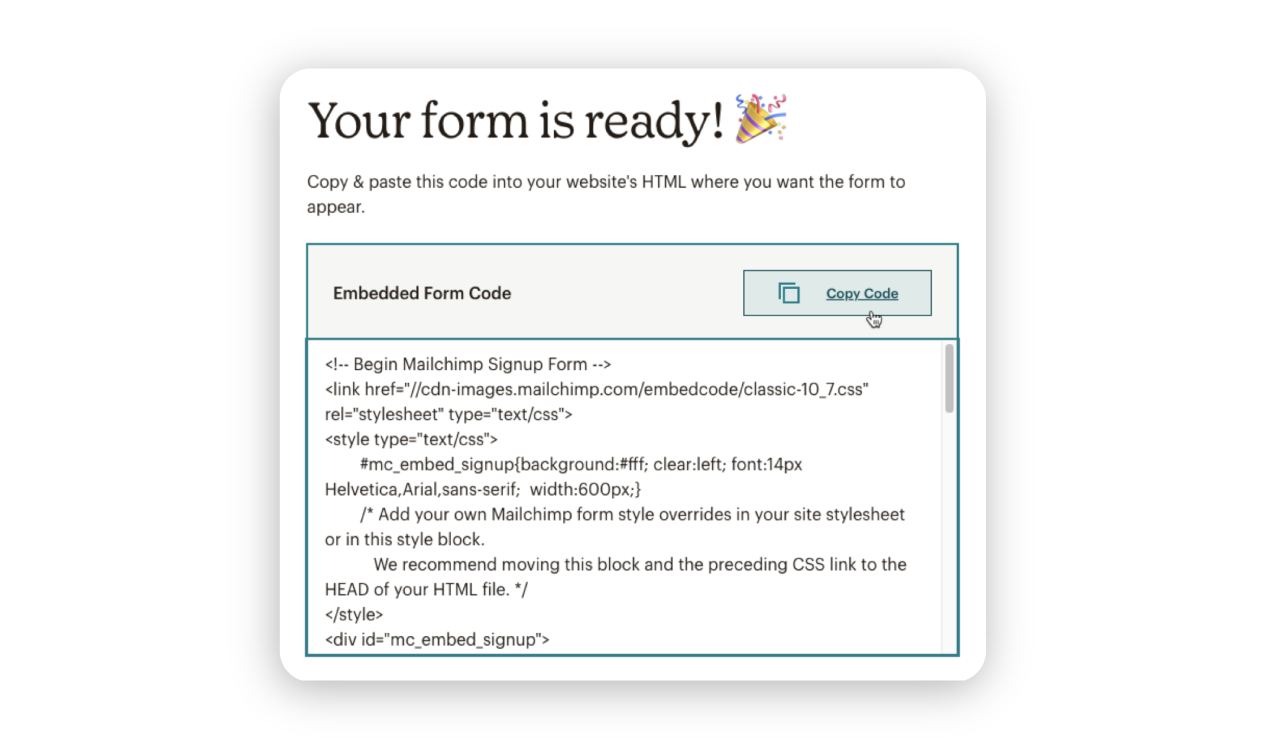
Steps– Build a signup form in Mailchimp, copy the embed code, and paste it into your site's HTML or embed block.
Use cases– Collect email addresses for your newsletter signups that connect directly to your email marketing automation.
Tip– Use asynchronous loading for faster site performance.
HubSpot
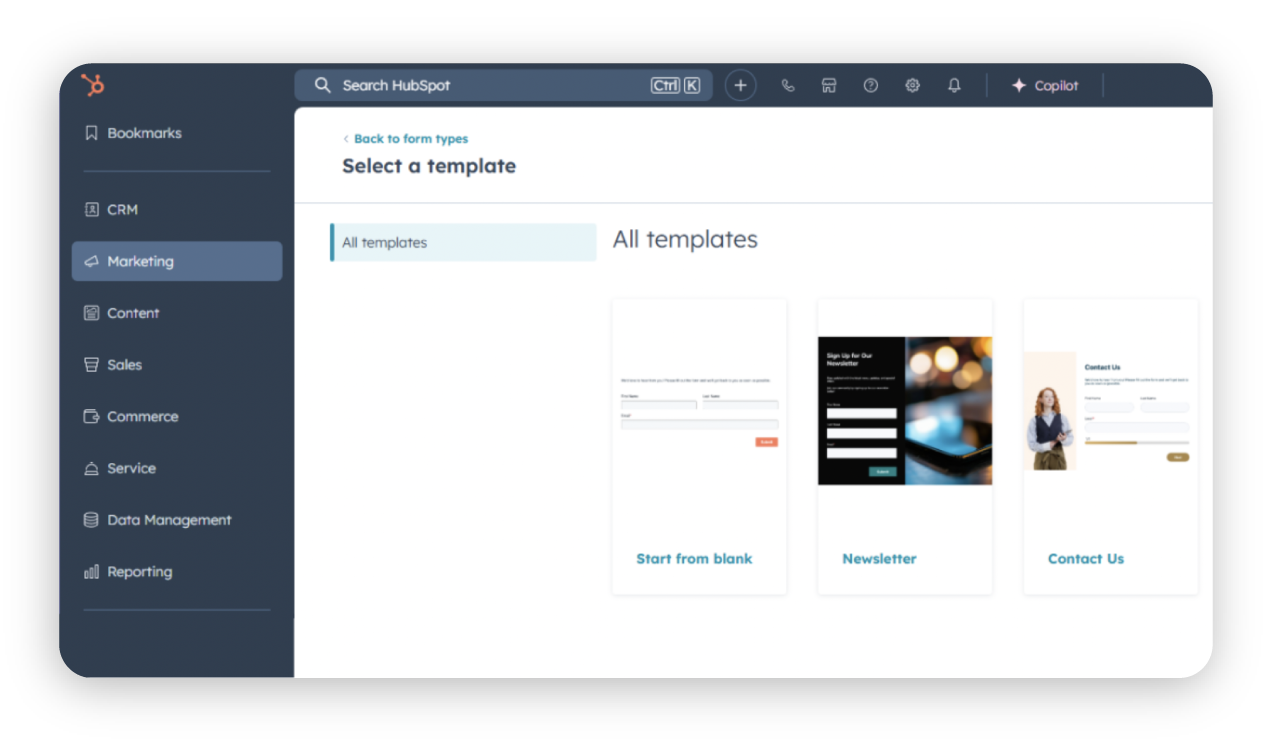
Steps– Create a form in HubSpot, copy the embed code, and add it to your website's HTML.
Use cases– Capturing sales leads and managing customer data with direct CRM integration and advanced analytics.
Note– Make sure your domain is connected to HubSpot to track submissions.
Keep your goals in focus
No matter which method you choose to create your contact forms, it’s essential to keep your overall goals at the center of your strategy. Every form should be designed with a clear purpose, whether that’s generating leads, collecting feedback, or signing up newsletter subscribers.
Consider what will happen to the information after it’s submitted. Plan how you’ll store, organize, and utilize the data, and ensure your collection process aligns with your follow-up actions, such as sending a welcome email, adding a contact to your CRM, or triggering a support workflow.
Building authentic connections starts now
Adding a contact form to your website isn't just about collecting information — it's about opening the door to meaningful conversations and lasting relationships with your audience. By choosing the right tools and following best practices, you make it easy for visitors to reach out, ask questions, and become loyal customers. Start building those connections today by creating a business website that will become a true hub for engagement and growth.
Frequently asked questions
No, you can build them using HTML. However, plugins like Contact Form 7 or WPForms make it much easier and add features such as validation and spam protection. Many WordPress form plugins offer a free version with basic features, making them accessible to beginners or those on a budget.
Choose WPForms if you want a modern, feature-rich, and beginner-friendly experience. Go with Contact Form 7 if you need a simple, no-cost solution and are comfortable with a bit of manual setup. Both plugins can handle basic contact forms well, so your decision should be based on how much customization and ease of use you need.
Check your shortcode or block, verify recipient settings, consult your hosting provider, and consider using an SMTP plugin for better email delivery. If issues persist, reaching out to the plugin’s support team can help resolve problems quickly.

Suggested articles




Share your thoughts