What is a Kill Switch?
A Kill Switch is a safety mechanism that will block all Internet traffic when your FastVPN stops working.
It is a useful feature, especially if you want to increase your privacy and anonymity. Having a Kill Switch turns off your Internet if the VPN is not protecting you. So, your privacy will stay secure even if the connection to VPN is not working.
Kill Switch is currently supported on our Windows, macOS, iOS, and Android apps. You can easily enable or disable Kill Switch by following the instructions below.
Windows:
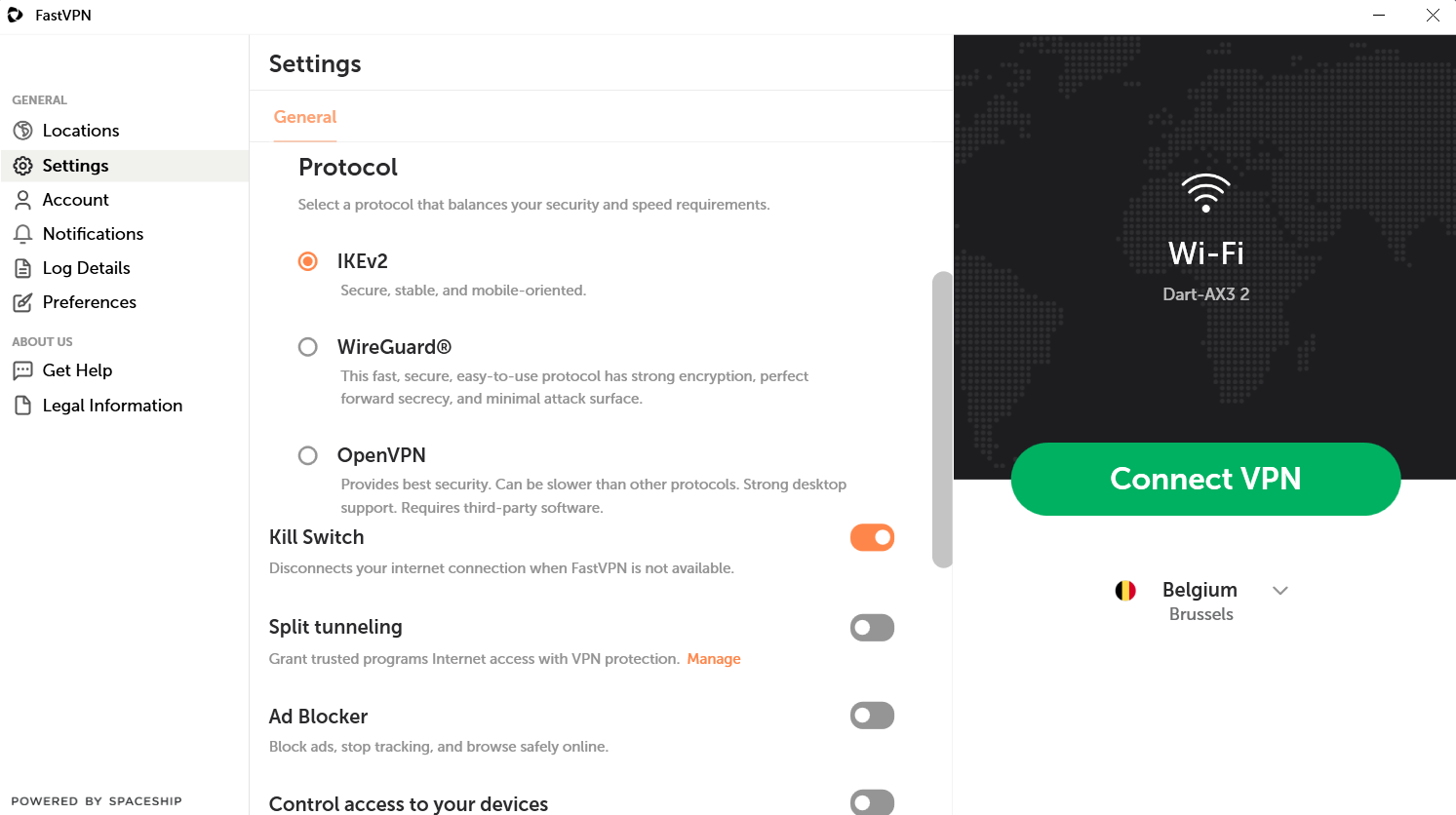
- Go to Settings;
- Enable/disable the Kill Switch toggle (Auto-protect will be enabled automatically):
macOS:
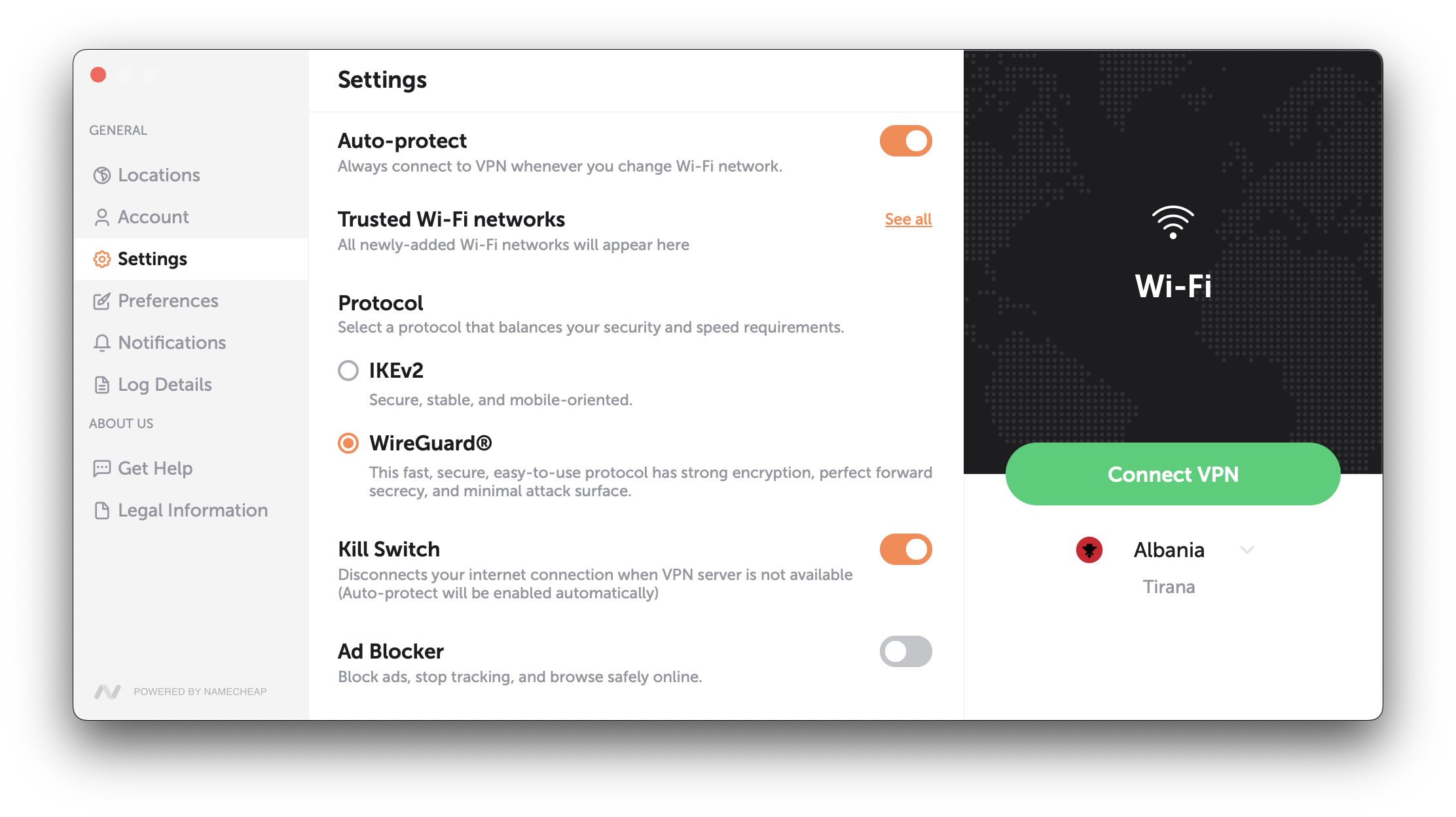
- Go to Settings;
- Select Wireguard protocol;
- Enable/disable the KillSwitch toggle (Auto-protect turns on automatically):
iOS:
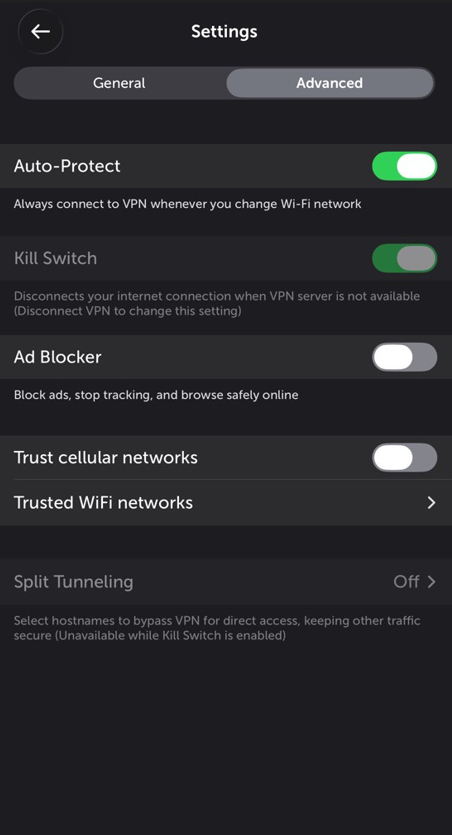
- Go to Settings;
- Select Wireguard protocol;
- Go to Advanced Settings;
- Enable/disable the KillSwitch toggle (Auto-protect turns on automatically):
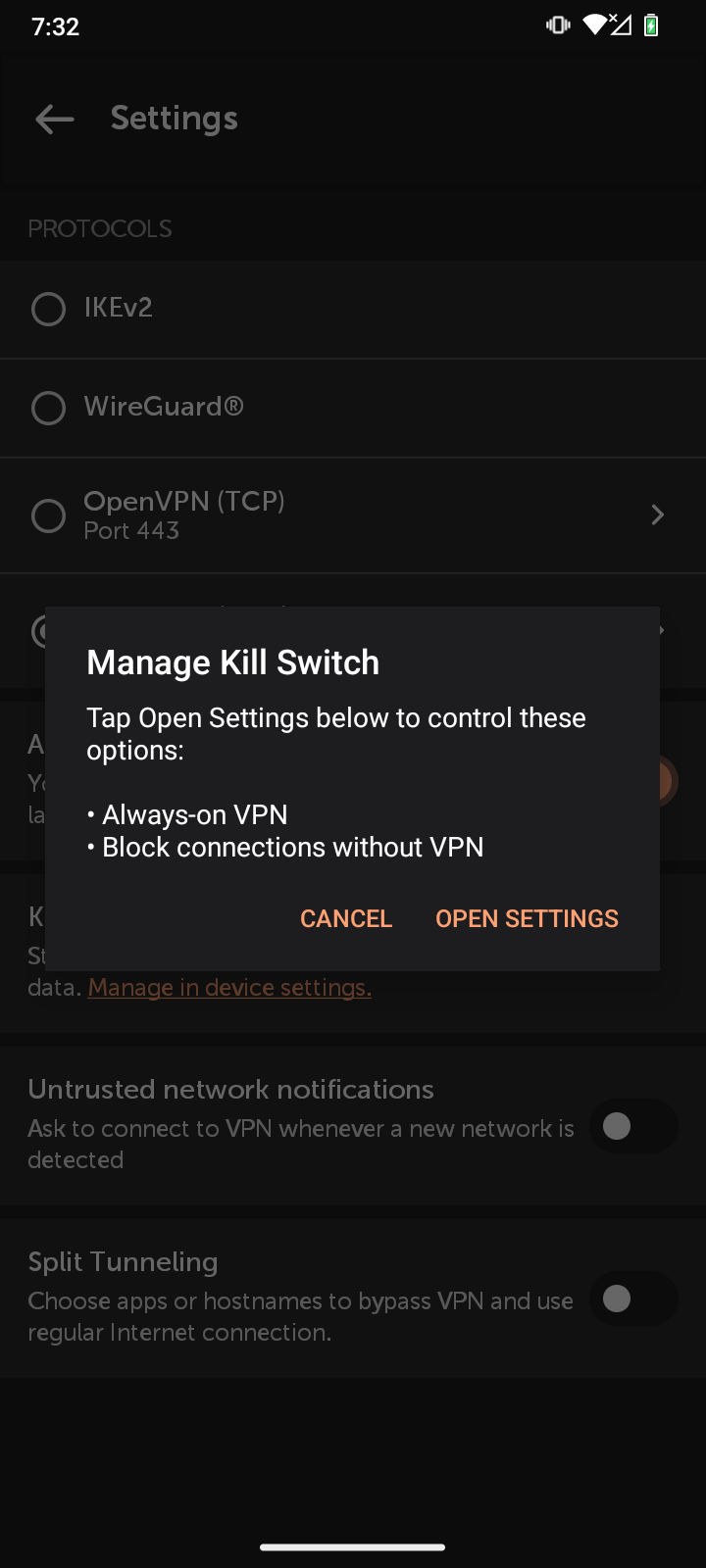
Android:
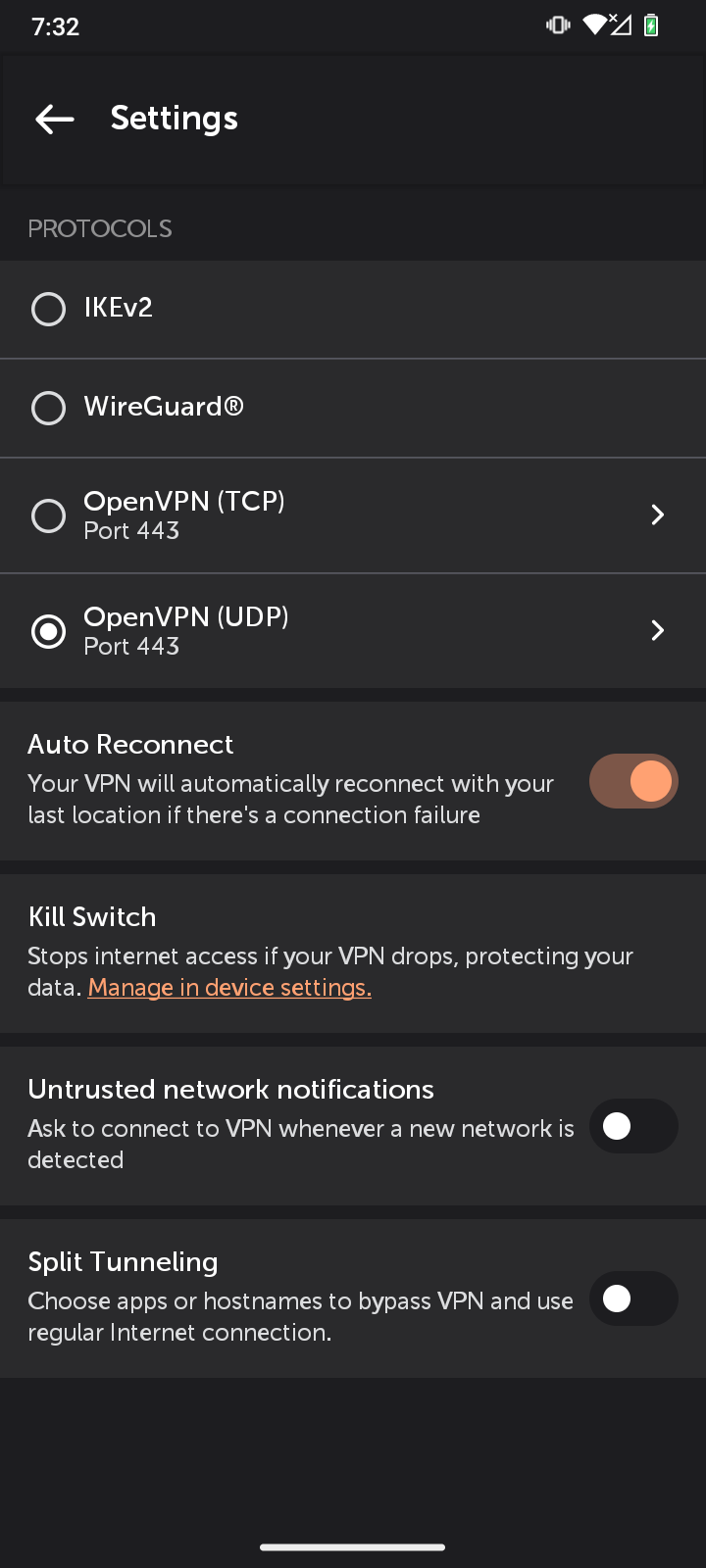
- Go to Settings;
- Tap Manage in device settings in the Kill Switch section;
- Open settings;
- Toggle on Always-on VPN;
- Toggle on Block connections without VPN:
If you are having any trouble connecting to the Internet, please double-check that the Kill Switch is not enabled.