How to add and switch between multiple Spacemail accounts
You can sign in to multiple Spacemail mailboxes in the same browser and switch between them without logging out each time. This is useful if you manage separate email accounts for work, personal use, or different projects.
In this guide, you'll learn how to add another account, switch between mailboxes, and manage expired sessions.
How to add another account
To add another Spacemail account, follow these steps:
Open Spacemail Webmail.
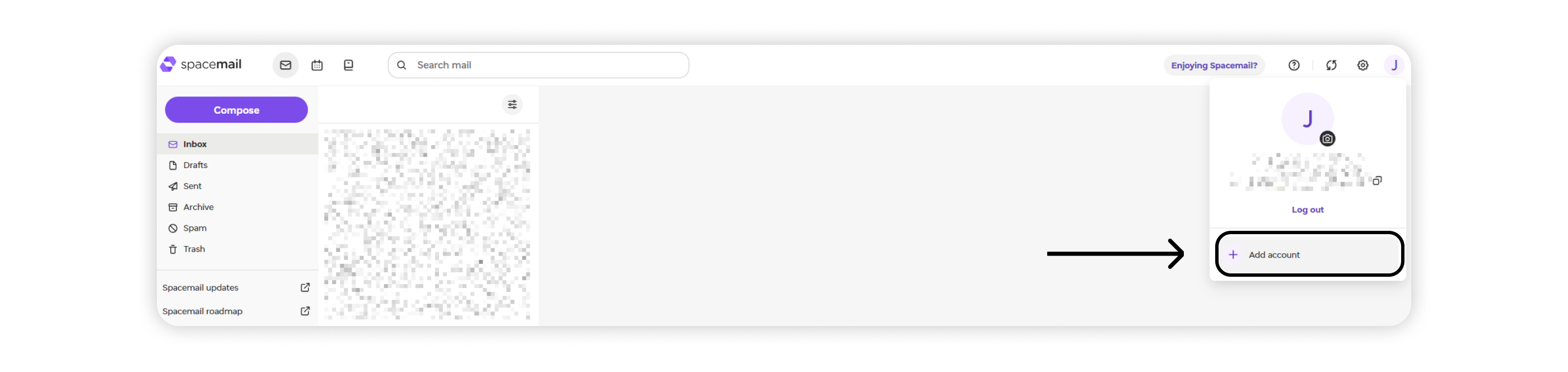
Click your profile picture in the top-right corner to open the profile menu.
Select Add account at the bottom of the menu:
Sign in using your email address and password, plus a two-factor authentication (2FA) code, if enabled:
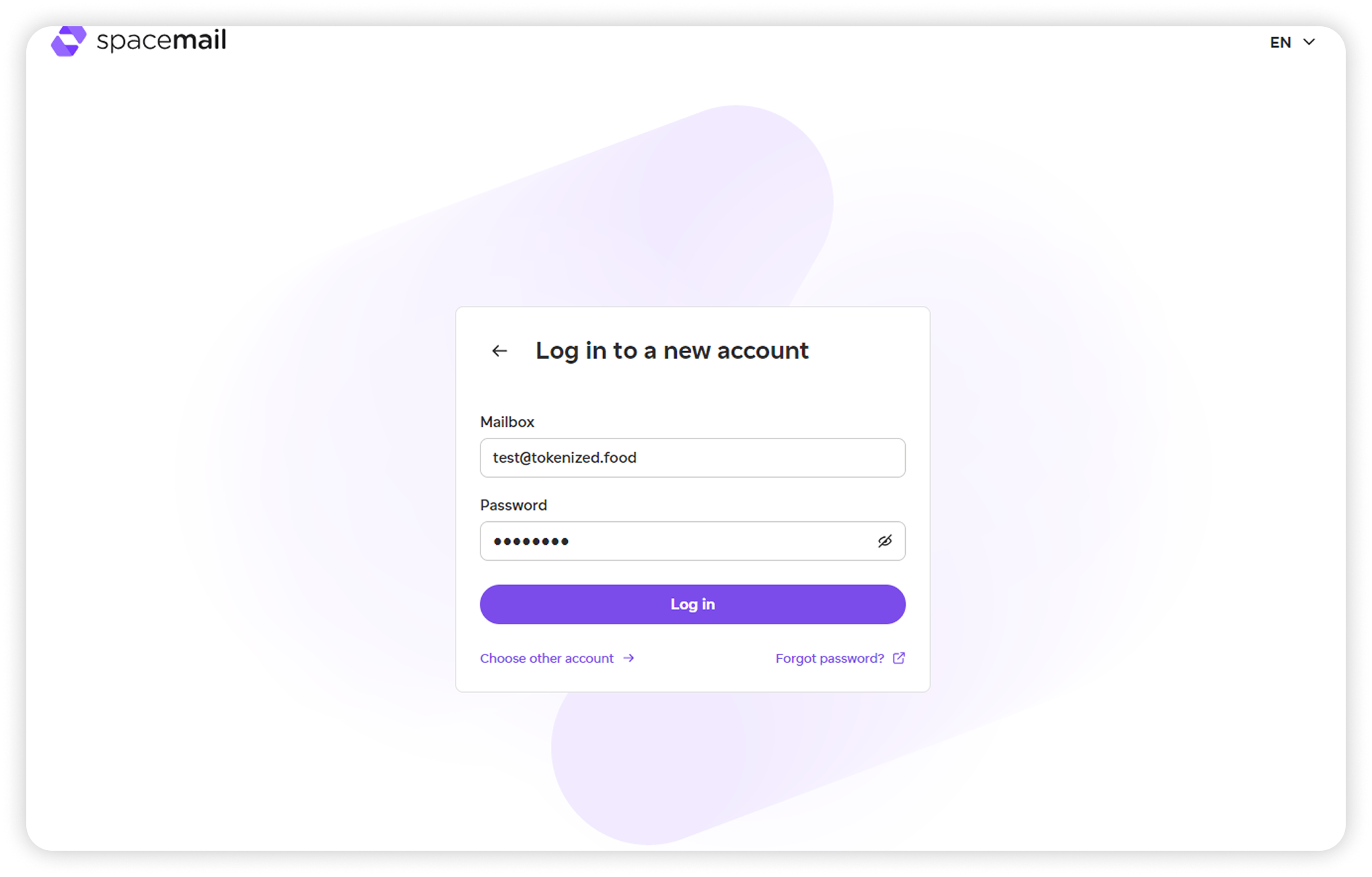
That's it! Your new mailbox becomes the active account, and your previous account stays signed in.
How to switch between accounts
Once you've added multiple accounts, you can switch between them without entering your credentials again.
To switch accounts:
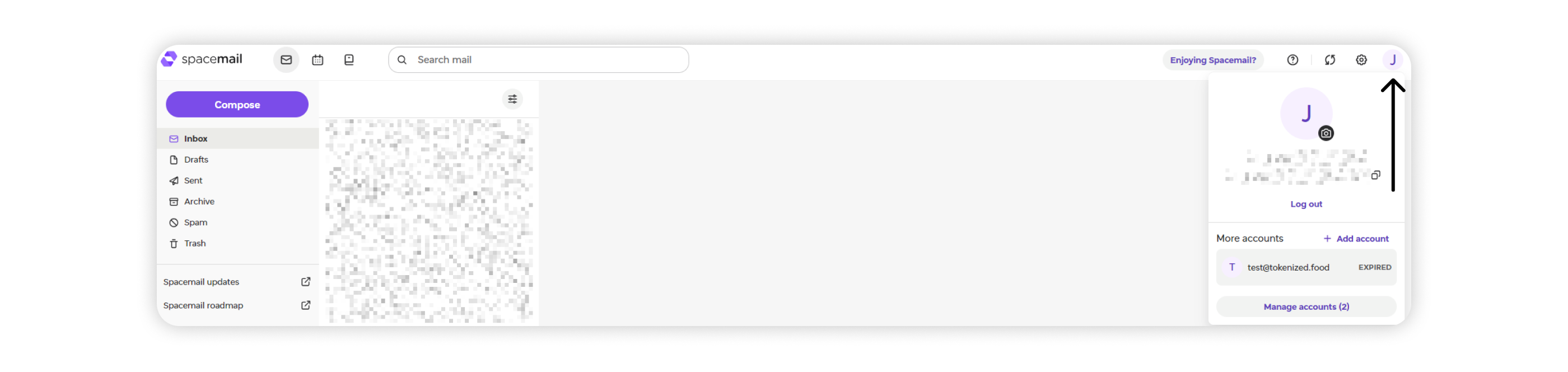
Click your profile picture in the top-right corner:
Select the account you want to use from the list:
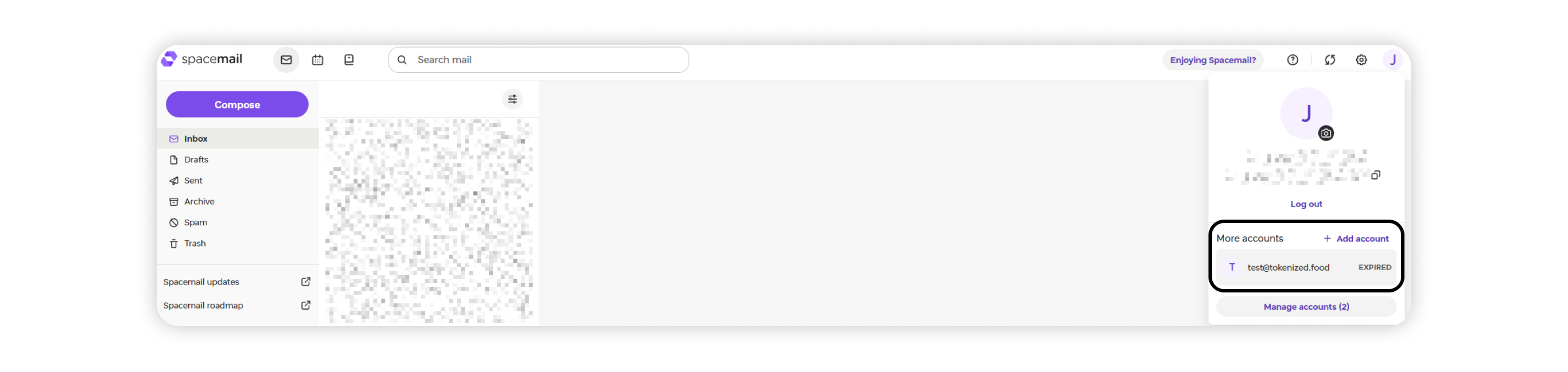
The selected mailbox becomes active in your browser. You don't need to sign in again unless its session has expired.
How to log out of one account
You can log out of a single mailbox without signing out of your other accounts.
To do this:
Open the profile menu by clicking your profile picture:
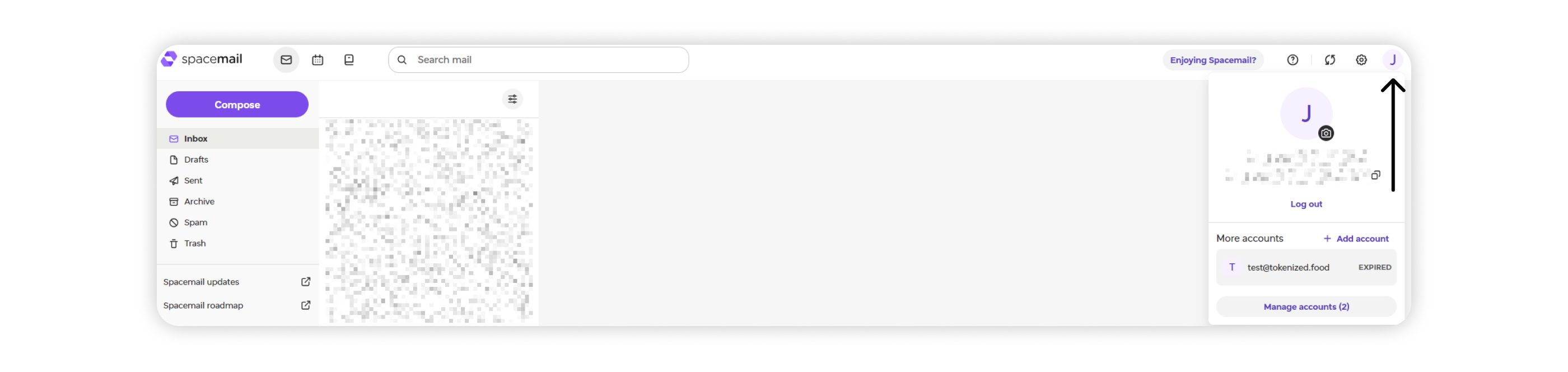
Select Log out:
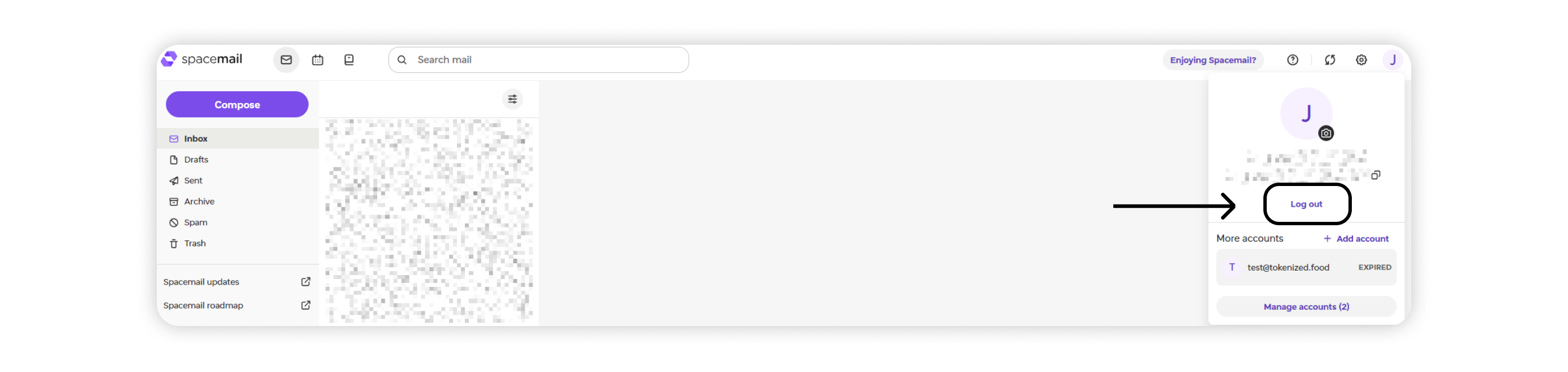
You'll be signed out of the current account only. Your other accounts will remain signed in, and you can select one of them to continue.
NOTE: Logging out of an account doesn't automatically switch you to another mailbox. Select the account you want to use from the profile menu.
What happens when a session expires?
If a mailbox session expires, only that account is affected. The account remains in your account list and is marked as Expired.
To sign in again:
Open the profile menu and select the expired account.
Enter your password and complete two-factor authentication (2FA), if enabled.
Your email address will already be filled in, so you won't need to enter it again.
An expired account is removed from the list when you log out of it or automatically after approximately two weeks.
That's it! You can now manage multiple Spacemail accounts in the same browser and switch between them whenever you need to.
If you have any questions or need help, please contact our Support Team.