
Tener una dirección de correo electrónico que coincida con tu nombre de dominio dice mucho sobre tu credibilidad. Con razón o sin ella, demuestra que te tomas en serio tu empresa y, lo más importante, le indica al cliente que él también debería hacerlo.
Tu nombre de dominio es la parte que va después del símbolo @, y cuando coincide con tu sitio web, como jane@mybrand.com, transmite legitimidad tanto a tus clientes como a los filtros de spam que se interponen entre tú y su bandeja de entrada.
Esa es la mayor diferencia entre el correo gratuito y el correo empresarial. Las direcciones gratuitas no transmiten ninguna de las señales de confianza que vienen con un dominio que realmente te pertenece. Un correo empresarial le dice al mundo que estás comprometido al 100% y que deben tomarte en serio. Uno gratuito le dice al mundo que todavía no estás del todo listo para comprometerte.
Sigue leyendo y te explicaremos todas las razones por las que tu nombre de dominio y tu correo deberían coincidir.
Dominio y correo: ¿realmente necesitan ir juntos?
También hay ventajas importantes de tener un dominio en tu dirección de correo. Ventajas que debes considerar si planeas hacer crecer tu negocio y tu producto.
También hay algunos mitos sobre el correo empresarial y los sitios web que deben desmentirse.
¿Necesitas un dominio para un correo empresarial?
La primera pregunta que todos suelen hacerse es: “¿Necesito un dominio para tener un correo empresarial?”
Técnicamente, no se requiere un nombre de dominio para crear un correo empresarial. Pero tener uno da una mucho mejor impresión.
¿Cuál es la parte del dominio de una dirección de correo electrónico?
Pero, ¿cuál es el dominio en una dirección de correo electrónico? El dominio es la parte "mybrand.com" de un correo que viene después de la @. Le dice al cliente de qué bandeja de entrada está recibiendo el mensaje.
También es la parte que marca una gran diferencia cuando se trata de primeras impresiones. Imagina que recibes dos correos sobre un producto completamente nuevo y “que te cambiará la vida”. Uno se envía desde una dirección de correo genérica y gratuita. El otro viene de una dirección de correo profesional con dominio, como Jane@mybrand.com.
¿Cuál vas a elegir? Para la mayoría, será la segunda opción, y la razón principal es la credibilidad. Los correos basados en dominio significan que estás dispuesto a poner el nombre de tu empresa al frente, donde el cliente pueda verlo. Demuestra que estás orgulloso de lo que representa tu empresa. Además, estás dejando algunas pistas para que tu cliente pueda buscar tu sitio web en Google.
Lo contrario puede decirse de los correos gratuitos. Aunque pueden ser gratis, esa es precisamente la razón por la que quizá no sean la mejor opción para tu negocio, especialmente cuando se trata de evitar la carpeta de spam.
Menos confiable | Más confiable |
businesshelp@gmail.com | help@yourbusiness.com |
salescompany@yahoo.com | sales@company.com |
randombrand@outlook.com | contact@brandname.com |
si envías correos desde una dirección de correo genérica, vas a verte exactamente así: genérico.
Además, las direcciones de correo personalizadas ahora son más baratas y rápidas de configurar que nunca. Por un cargo mensual mínimo, podrías tener un correo que coincida con tu empresa o sitio web y que grite profesionalismo cuando llegue a la bandeja de entrada de tu cliente objetivo.
¿Puedes usar un correo empresarial sin un sitio web?
Por supuesto. Es comprensible que la mayoría de las personas asuman que necesitas un sitio web para configurar un correo empresarial, pero en realidad no es necesario.
Es cierto que, al comprar un correo empresarial, normalmente te ofrecen un correo personalizado con un dominio o viceversa, y probablemente por eso el mito sigue vigente.
Pero la respuesta corta es que el correo electrónico y los sitios web funcionan en servidores y protocolos diferentes. Funcionan de manera independiente, lo que significa que el correo puede funcionar incluso si el servidor web (sitio web) no existe.
Eso significa que puedes tener un correo empresarial sin un sitio web, y configurar un sitio web después si así lo decides.
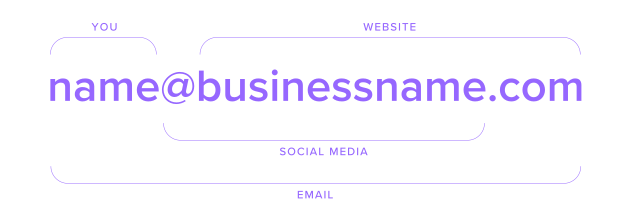
Con el nombre de dominio como punto de partida, luego puedes empezar a llenar los espacios alrededor de eso: piensa en nombres de usuario para redes sociales y tarjetas de presentación.
Por qué un correo con dominio personalizado se ve más profesional

¿Alguna vez has notado que el letrero de neón afuera de tu negocio local de camas de bronceado se ve un poco raro? Lo mismo pasa con un correo gratuito. Dice mucho, pero lo que no está diciendo es “confía en nosotros”.
Hay una razón por la que las empresas que ganan millones de dólares eligen tener su propia dirección de correo profesional. Imagina que recibes un correo totalmente legítimo de Nike.sales@freeemail.com. Podría parecer un poco sospechoso.
Ahora aplica esa lógica a una empresa que no gana millones de dólares. Es todavía más difícil parecer creíble y legítima.
Correo gratuito vs correo empresarial basado en dominio
Función | Correo gratuito | Correo empresarial |
Dirección de correo electrónico | yourbusiness@gmail.com | name@yourbusiness.com |
Branding | Limitado | Profesional |
Confianza | Menor | Mayor |
Capacidad de entrega | Menos confiable | Mejor ubicación en la bandeja de entrada |
Seguridad | Básica | Compatibilidad con SPF/DKIM/DMARC |
Propiedad | Plataforma compartida | Tu propio dominio |
Ideal para | Uso personal | Empresas |
Cuando tu correo llega a la bandeja de entrada de un cliente, tienes un par de segundos para causar impacto. Normalmente, la línea de asunto y la dirección de correo son las únicas pistas sobre tu credibilidad. Eso significa que o tu línea de asunto es de clase mundial, o tu dirección de correo indica que sabes de lo que estás hablando.
Aquí es donde un correo como @yourbusiness.com puede ser una gran ventaja. Los correos basados en dominio son el estándar moderno de confianza y crecimiento de marca. Más confianza significa mayores tasas de apertura, mayores tasas de respuesta y, en última instancia, más conversiones para tu negocio.
Además, con el correo empresarial disponible hoy en día por una inversión muy pequeña, probablemente podrías cubrir toda la suscripción de un año con una sola compra de un cliente, dependiendo del precio de tu producto.
Ayuda a reforzar tu marca
Repetición, repetición, repetición. Es tan cierto para aprender un idioma como lo es para tu negocio.
Cuando compras un correo profesional con tu propio dominio, la parte del correo después de la @ es tuya. Eso significa que podrías tener veinte correos diferentes, todos enviados desde @yourbusiness.com y llegando a la bandeja de entrada de tus clientes.
Esto ayuda muchísimo al reconocimiento de marca.
Si un cliente interactúa con tu empresa en varios niveles, le será más fácil recordar el nombre de tu marca y tu producto cuando realmente importe.
Imagina que llegas a una entrevista. La mayoría de las personas elegirían una camisa bien planchada en lugar de lentes de sol y un par de shorts. Eso se debe a que da la mejor impresión y la mejor oportunidad de conseguir el trabajo.
Así que asegúrate de vestir tu marca con una camisa bien planchada.
Consistencia en toda tu presencia en línea
Todos queremos consistencia. Pero imagina pasar frente a tu restaurante favorito y ver que toda la fachada ha sido rediseñada.
Cuando el nuevo diseño llama tu atención, hay un pequeño retraso en tu pensamiento. El proceso que está ocurriendo aquí se llama reconocimiento de patrones.
Vamos a desglosarlo:
Ese momento en el que tu cerebro intenta procesar qué cambió es desagradable. Estás usando más energía mental para averiguar qué cambió.
Ahora imagina a un cliente que ha visto tu empresa en línea. Decide escribir tu nombre en Google, pero se encuentra con una imagen de marca inconsistente en tus canales en línea.
Tu correo tiene un nombre y tus redes sociales tienen otro. Intentar llegar a los clientes desde tantos canales diferentes como sea posible es inteligente. La falta de consistencia entre esos canales no lo es.
Quieres simplificar el reconocimiento de patrones para tu cliente y reducir el esfuerzo que necesita hacer.
Comenzando con una dirección de correo empresarial como @yourbusiness.com, luego puedes mostrar con orgullo tu información de contacto en los canales que elijas.
¿El resultado? Una presencia en línea que se ve organizada y coherente.
Mejor capacidad de entrega y seguridad
Pero la pregunta que normalmente todos nos hacemos es esta: ¿cómo llego a la bandeja de entrada de mi cliente sin que me marquen como spam?
Aquí es donde los correos basados en dominio realmente tienen una ventaja sobre los correos gratuitos.
Esto se debe a que los proveedores de correo más pequeños pueden no tener suficientes direcciones IP para cubrir a todos sus clientes. Si tu correo ha sido agrupado con otro que fue marcado como spam, desafortunadamente, te hundes con ellos.
También es posible que estos proveedores de correo gratuitos no estén ofreciendo los protocolos de seguridad que ayudan a que tu correo llegue a la bandeja de entrada del cliente, como estos tres muy importantes que hemos enumerado a continuación:
SPF (Sender Policy Framework) – les indica a los servidores de correo receptores qué servicios tienen permitido enviar correos usando tu dominio. Piensa en ello como una lista de invitados para el correo electrónico.
DKIM (DomainKeys Identified Mail) – agrega una firma única e invisible a cada correo que envías. Si ha sido alterado o falsificado, el servidor sabe que debe tratarlo con cautela.
DMARC (Domain-based Message Authentication, Reporting & Conformance) – les dice a los proveedores de correo cómo manejar los mensajes que no pasan esas verificaciones: si deben dejarlos pasar, enviarlos a spam o rechazarlos por completo.
Spacemail ofrece seguridad de forma estándar, lo que significa que tus correos están protegidos por SPF, DKIM y DMARC desde el primer momento. Eso hace mucho más probable que tus mensajes lleguen a la bandeja de entrada y no a la carpeta de spam.
También obtendrás privacidad por defecto. Protecciones integradas como 2FA, monitoreo de amenazas, correos protegidos con contraseña, compatibilidad con alias y bloqueadores de rastreo para que puedas enviar con confianza, siempre.
Cómo obtener un correo basado en dominio (en minutos)

A la mayoría de las personas les sorprende lo simple y rápido que puede ser configurar un correo empresarial. Pero no nos creas solo a nosotros, simplemente sigue los pasos a continuación.
Paso 1 – Elige y registra tu nombre de dominio
El primer paso es elegir y registrar tu nombre de dominio. Esta será la parte que viene después de la @, una vez que lo conectes a tu correo.
La clave es entender qué dominios de correo son profesionales. Lo mejor es elegir algo corto, memorable y, de ser posible, alineado con el nombre de tu negocio. También es buena idea evitar números, caracteres especiales y guiones si es posible.
Eso significa que yourbusiness.com probablemente sea una mejor opción que yourbusiness1000.com.
Si tu nombre de dominio perfecto no está disponible, puede ser que alguien más ya lo haya tomado. La mayoría de los sitios contienen herramientas para ayudarte a encontrar la mejor opción disponible.
Simplemente busca el nombre de dominio que esperabas obtener, y la herramienta te dirá si está disponible o no. Si no lo está, te ofrecerá alternativas para ayudarte a acercarte al nombre de dominio de tus sueños.
Una vez que estés conforme, puedes comprar tu dominio y registrarlo con tus datos.
Paso 2 – Obtén un plan de hosting de correo electrónico
Una vez que hayas asegurado tu dominio, es momento de elegir un plan de hosting de correo electrónico. Este es el servicio que hará posible enviar y recibir mensajes desde tu nuevo dominio.
Busca un plan que se ajuste a tus necesidades. Si eres un emprendedor independiente o una pequeña empresa, quizá solo necesites una o dos bandejas de entrada. Pero si planeas crecer o agregar miembros al equipo, vale la pena elegir un proveedor que facilite el crecimiento.
Antes de decidir, puede ser importante considerar:
Cuánto almacenamiento necesitarás
Si quieres acceso a webmail
O si necesitas funciones adicionales como:
Filtrado de spam
Respuestas automáticas
Firmas personalizadas
Una vez que hayas elegido un plan, puedes conectarlo a tu dominio con unos cuantos pasos sencillos. (Y si te atoras, nuestro equipo de soporte siempre está aquí para ayudarte).
Paso 3 – Configura tu dirección de correo electrónico
Ahora viene la parte divertida: crear tu dirección de correo electrónico real. Esto es lo que la gente verá cuando te pongas en contacto.
Encontrar la dirección de correo electrónico adecuada suele consistir en elegir algo profesional y fácil de recordar. Si todavía no tienes claro qué parte de la dirección de correo es el dominio, de nuevo, es la parte que viene después de la @.
La configuración normalmente toma unos minutos y, una vez que esté activa, podrás empezar a enviar y recibir correos de inmediato.
También es súper fácil conectar tu correo a Gmail, Outlook u otra plataforma.
¿Cómo elegir la mejor opción para correo con dominio?
Configurar un correo con dominio normalmente toma solo unos cuantos clics.
Ya sea que estés dando tus primeros pasos en los negocios o dirigiendo una operación a gran escala, la mayoría de los servicios ofrecen una configuración rápida y distintos niveles de precio. Pero el paquete que elijas depende de lo que necesites.
Si, por ejemplo, te estás cambiando desde otro proveedor, las prácticas herramientas de migración pueden ayudarte a mover tus correos fácilmente. Eso significa que no habrá tiempo de inactividad ni pérdida de datos.
La seguridad también es una preocupación principal. Idealmente, deberías buscar un servicio que ofrezca lo esencial, como protección DDoS, certificado SSL y privacidad de dominio, además de protección antispam y contra phishing.
Preguntas frecuentes
Sí, si quieres un correo electrónico profesional basado en dominio como you@yourbusiness.com. Los correos gratuitos pueden funcionar, pero no generan confianza.
Es todo lo que va después de la @. Así que en jane@mybrand.com, el nombre de dominio del correo electrónico es mybrand.com.
Puedes usar un servicio de correo electrónico genérico, pero para crear una dirección de correo electrónico personalizada que refleje tu marca, necesitarás tener un nombre de dominio.
Porque la confianza importa. Un correo electrónico personalizado con tu propio dominio se ve profesional y serio. Los correos gratuitos no.
Registra tu dominio, elige un plan de hosting y crea tu correo electrónico. Solo toma unos minutos y estará listo para usarse.
Un dominio de correo electrónico corporativo es la parte después del símbolo @ que coincide con el sitio web de tu empresa, como @yourbusiness.com. En lugar de usar una dirección de un proveedor compartido como Gmail o Yahoo, el dominio es específico de tu negocio.
Sí. Los correos electrónicos basados en dominio incluyen protocolos de seguridad como SPF, DKIM, and DMARC, que ayudan a demostrar que tus mensajes son legítimos. Los proveedores de correo electrónico gratuitos no siempre ofrecen la misma protección, por lo que es más probable que tus correos terminen en spam.
Los dominios gratuitos de correo electrónico más comunes incluyen @gmail.com, @yahoo.com y @outlook.com. Están bien para uso personal, pero no transmiten la misma confianza ni branding que una dirección que coincide con el nombre de tu negocio.

Artículos sugeridos




Comparte tus pensamientos