Imagine you’re waiting on a client to pay an invoice, a colleague to confirm a meeting, or a friend to RSVP for an event, and the clock’s ticking.
A well-crafted reminder email is your go-to for giving a gentle nudge without stepping on toes. Whether you’re a freelancer keeping payments on track, a project manager juggling schedules, or a newbie learning the ropes of workplace emails, this guide has you covered.
We’ll walk you through how to write a reminder email that’s clear, polite, and gets results, with easy-to-use templates and tips on timing and tone. Written for busy professionals and early-career folks alike, this article will help you prompt action smoothly, build stronger connections, and spark great feedback from readers.
What is a reminder email
A reminder email is a friendly prompt to get someone to act on something you’ve already discussed, like paying an invoice, joining a meeting, or sending a file. Unlike follow-up emails, which might check in more generally, or cold emails, which start fresh conversations, a reminder email zeros in on an existing communication.
In professional settings, these emails are key to avoiding missed deadlines, securing payments, or keeping plans on track. A well-written, gentle reminder email gets the job done while keeping things polite and professional, helping you maintain good relationships. By nailing the reminder letter format, you’ll come across as clear and respectful, making your emails both effective and well-received.
When should you use one
Knowing when to send a reminder email is just as important as crafting it well. These emails shine in specific scenarios, but timing and tone are everything.
Send one when a deadline is looming, like an invoice due in a few days, or when someone hasn’t replied after a reasonable wait — say a week since your last email.
Reminder emails are also perfect for confirming events, like in-person meetings or webinars, to ensure everyone’s on the same page.
Aim to send a kind reminder 3–5 days before a deadline or 1–2 days after no response, tweaking based on urgency. Etiquette is key: keep your tone warm and avoid sounding like you’re scolding.
Pro tip: Always check your sent folder to confirm your original email went through before firing off a friendly reminder email — it saves awkward mix-ups and keeps you looking sharp.
With the timing nailed down, let’s dive into the essential elements that make reminder emails effective.
What to include in a reminder email
A stellar reminder email follows a clear structure to ensure your message lands perfectly.
Below are six must-have components, each explained to show why they’re crucial and how they drive responses.
For more on crafting polished emails generally, take a look at our guide to writing professional emails. It offers broader tips to level up your communication.
1. Clear subject line
Your subject line is the first thing someone sees, so keep it short and crystal clear. It should instantly tell the recipient what the email’s about, weaving in words like “reminder” or “due”, naturally.
Ditch vague phrases like “Just Checking In” and opt for something like “Gentle Reminder: Invoice #123 Due Nov 18.”
A sharp subject line grabs attention, conveys urgency, and helps the recipient prioritize your email in a packed inbox, setting the stage for a quick response.
2. Polite greeting
Kick off with a warm greeting to create a friendly vibe. Use the recipient’s name for a personal touch. Try “Dear Sarah” or “Hello John” for formal emails, or “Hi Emma” for a more relaxed tone. Skip old-school openers like “To Whom It May Concern” (unless you’re out of options) as they can feel distant.
A polite greeting makes your email inviting, and lays the groundwork for a positive, collaborative exchange.
3. Reminder of the original context
Jog their memory with a quick recap of what you’re following up on. Mention the original email or conversation with specific details, like “I’m touching base about invoice #123, sent on October 30.”
This helps the recipient connect the dots without digging through their inbox, making your email easy to follow.
It also shows you’re organized and value their time, keeping the interaction smooth and professional.
4. Clear ask or next step
Be super clear about what you need — whether it’s confirming a meeting, paying an invoice, or sending a file.
Use straightforward, polite language: “Could you please let me know if you’ll be at the meeting by November 10?”.
A clear ask eliminates guesswork, guiding the recipient to act fast and upping your odds of a response. Without it, your email might inform, but not inspire action.
5. Deadline or timeline
Spell out when you need the action completed to add urgency without being pushy. For example: “I’d really appreciate it if you could pay the invoice by November 18.”
If there’s no set deadline, suggest a timeframe: “Could you get back to me by tomorrow afternoon?” This helps the recipient prioritize your request and keeps things moving, all while staying courteous.
6. Friendly closing
End with a kind closing to leave a great impression. Offer support, like “Let me know if you need any info,” and include your contact details for easy access. Stick with professional sign-offs like “Best regards,” “Thanks,” or “Kind regards.”
Ending an email professionally makes the recipient feel valued, encouraging them to respond promptly and keeping the conversation positive.
With these components in place, you’re ready to craft a reminder email that hits all the right notes. Next, let’s explore some best practices to make your emails even more effective.
Reminder email best practices
Building on the structure above, these practical tips will help your reminder emails shine by keeping them sharp, polite, and impactful, ensuring they resonate with recipients and prompt quick action.
Be concise and direct
Keep your email short and sweet — three paragraphs max — to make it easy to read. Focus on the key points and skip unnecessary details.
A concise email respects the recipient’s busy schedule and boosts the chances they’ll read and respond, especially when they’re juggling a million things.
Keep your tone polite, not pushy
Always go for a polite tone to keep things friendly. Try something like, “I noticed the payment hasn’t gone through yet, and I’m happy to help with any questions,” instead of “You need to pay now.” A kind reminder builds trust and makes people more eager to respond, fostering collaboration over confrontation.
Include the original thread (if replying)
When replying to an earlier email, keep the original thread attached for context. This saves the recipient from searching their inbox for the first message, making your reminder clear and easy to follow.
Business email platforms like Spacemail, Proton Mail, or Zoho Mail automatically include the previous conversation when you hit reply, so you don’t have to manually copy and paste anything. This simple feature keeps your professional reminder email organized, reduces confusion, and helps the recipient respond faster.
Don’t overuse reminders — when to follow up again
Bombarding someone with reminders can backfire and annoy them.
Wait at least 3–5 days after your first reminder before sending another, unless it’s super urgent. A Reddit thread on managing follow-up boundaries shares some discussions on finding the right balance between persistence and patience, emphasizing tone and timing.
Additional tip: Before hitting send, read your email aloud or share it with a colleague to check the tone. Does it sound friendly yet professional? Adjust any lines that feel too stiff or overly casual. This quick step ensures your reminder lands just right, maximizing its impact.
Having fine-tuned your approach with these best practices, let’s move on to some ready-to-use templates that make crafting reminder emails a breeze.
Reminder email templates (copy-paste examples)
To save time and ensure consistency, use these ready-to-use templates for common scenarios.
For an upcoming meeting
Subject: Friendly reminder: Team meeting on November 12 at 10 AM
Dear [Recipient’s Name],
Hope you’re doing great! Just a quick note to remind you about our team meeting on November 12 at 10 AM, where we’ll go over the Q4 project plans. Your thoughts will really help shape our next steps.
Could you please confirm you’ll be there by November 10? Let me know if you need the agenda or any other details.
Thanks, and can’t wait to catch up!Best regards,[Your Name][Your Contact Information]
For an unpaid invoice
Subject: Gentle reminder: Invoice #123 due by November 18
Hello [Recipient’s Name],
I hope all’s well! I’m just touching base about invoice #123, which I sent on October 30 and is due by November 18.
I know things can get busy, so I wanted to check in and make sure you have everything you need to process it.
Could you let me know if you’ve received the invoice or if the payment’s on its way? I’m happy to help with any questions.
Thanks for your time, and I look forward to hearing from you!Kind regards,[Your Name][Your Contact Information]
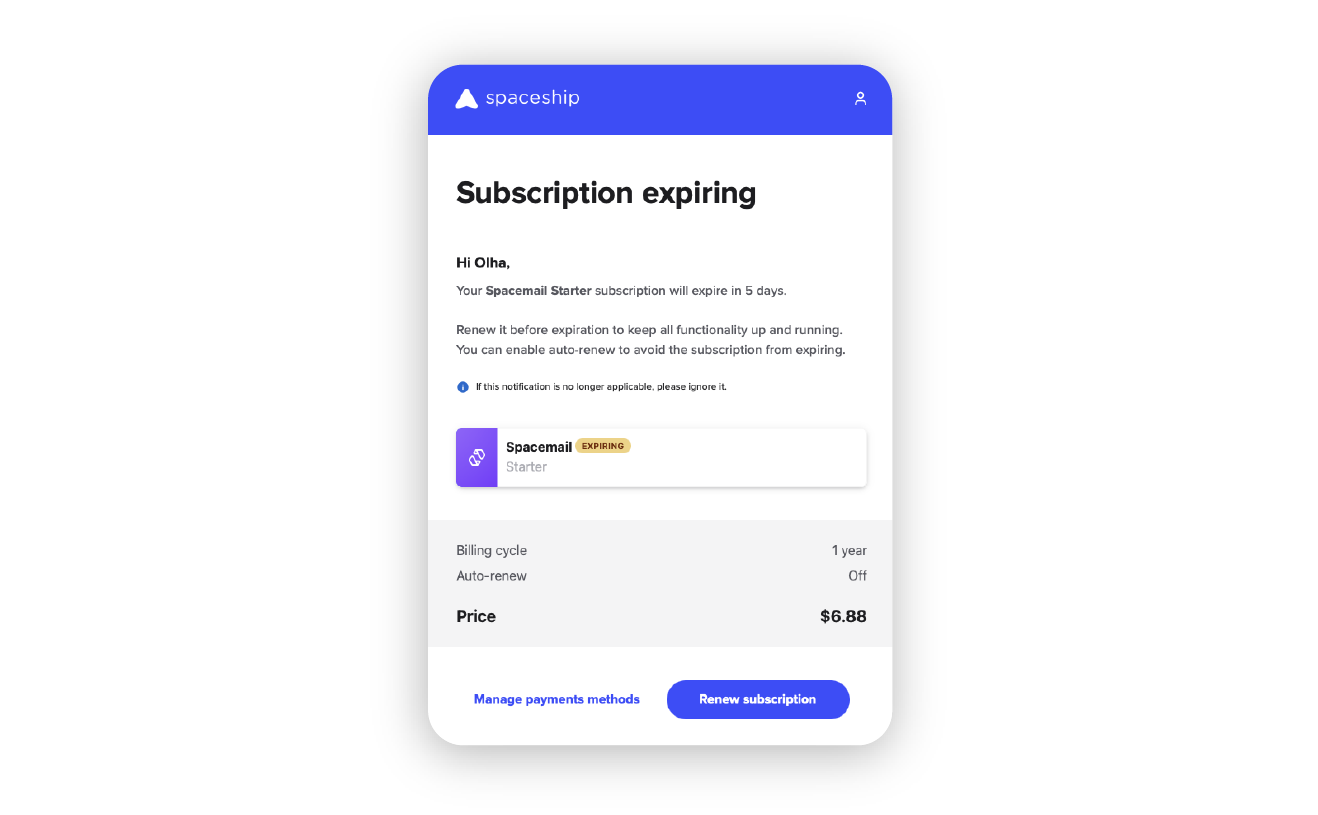
Here’s an example of a subscription expiration reminder, as illustrated by a notification from Spacemail. The image below shows how such a reminder might look:

For more options, check out this document which contains more templates, tailored to various professional scenarios.
With these templates in hand, you’re well-equipped to tackle any reminder scenario. Let’s wrap up with a summary of the key points to keep in mind.
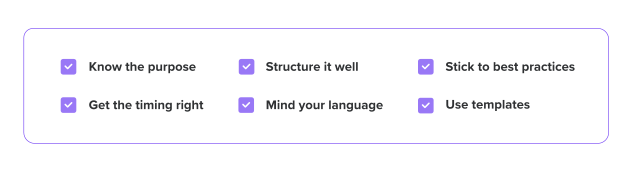
Key takeaways
Writing a killer reminder email is a skill that saves time and keeps relationships strong. Here’s the rundown:
Feel free to share this article on LinkedIn, X, or Facebook to help others level up their email game. Got a favorite trick for crafting reminder emails that get replies? Drop it in the comments below to keep the conversation going!
Frequently asked questions
To politely remind someone via email, use a friendly, professional tone and structure your message clearly. Start with a warm greeting, like “Hi [Name],” and provide context, such as “I’m following up on invoice #123 sent on October 30.”Make a clear, courteous ask, like “Could you please confirm the payment status?” and include a deadline, such as “by November 18.” Keep your tone kind, avoiding pushy language, and close with a friendly sign-off, like “Thanks for your time!” A polite reminder email shows respect and encourages a positive response.
A good subject line for a reminder email is concise, specific, and includes words like “reminder” or “due.”For example, “Gentle reminder: Invoice #123 due Nov 18” or “Friendly reminder: Team meeting on Nov 12” clearly states the purpose and urgency.Avoid vague phrases like “Follow-Up” to ensure the recipient prioritizes your email. A well-crafted reminder letter’s subject line grabs attention and sets the right tone.
Wait 3–5 days before a deadline or 1–2 days after no response before sending a friendly reminder email, adjusting based on urgency. For instance, send a payment reminder a few days before the due date or a meeting reminder 1–2 days prior. Check your sent folder to confirm the original email was delivered. This timing keeps your kind reminder timely without feeling pushy, maximizing the chance of a reply.
Yes, you can send multiple reminder emails, but don’t overdo it to avoid seeming annoying. Wait at least 3–5 days after the first gentle reminder email before following up again, unless the matter is urgent. Keep each email polite and concise, and adjust the tone slightly to show understanding, like “I know things get busy.”Limiting reminders maintains professionalism and respects the recipient’s time.
Yes, include the original email thread when replying to provide context, especially for complex tasks or ongoing conversations.This makes your reminder email easier to follow, saving the recipient time and reducing confusion. Most business email solutions streamline this process, ensuring your professional reminder email is clear and effective.


Share your thoughts