
Lanzar un nuevo proyecto en línea siempre es un primer paso emocionante. Pero si quieres que tu sitio de WordPress sea más que solo una cara bonita para tu marca, los plugins son la respuesta. Con decenas de miles de opciones disponibles, ¿cuáles realmente marcan la diferencia?
Aquí tienes una guía sencilla para descubrir los mejores plugins de WordPress que pueden ayudarte a mejorar la funcionalidad de tu sitio webrápido.
Por qué importan los buenos plugins
Los plugins y temas de WordPress son lo que convierte un grupo de páginas de destino básicas en una poderosa plataforma en línea. Mientras que los temas se encargan del diseño general, los plugins mejoran rápidamente la utilidad de cualquier sitio. Ya sea que estés creando una tienda de comercio electrónico o un portafolio personal, los plugins ofrecen funciones avanzadas adaptadas a tus necesidades específicas.
Haz que el contenido sea más fácil de gestionar
Mejora tu posicionamiento en motores de búsqueda
Agrega nuevas funciones para tus visitantes
Captura leads y mantén a las personas conectadas
Pero no todos los plugins son iguales. Los mejores plugins también están diseñados para ser fáciles de usar, ofreciendo interfaces intuitivas y una configuración sencilla, lo que hace que sean fáciles de usar incluso para principiantes.
Elementos clave de un sitio web funcional
Un sitio web verdaderamente funcional va más allá de solo verse bien. Necesita respaldar tu visión y tus objetivos, ya sea atraer más visitantes, generar clientes potenciales o mostrar tu trabajo. Para lograrlo, es posible que tu sitio web básico de WordPress necesite incluir funciones esenciales que no vienen incluidas en el software principal de WordPress, como la gestión avanzada de medios o formularios de contacto interactivos.
Estas necesidades pueden ser diferentes para cada marca, por lo que hay miles de opciones de plugins para elegir. Por eso seleccionamos algunos de los mejores, probados por millones de usuarios de WordPress, como tú.
Los mejores plugins de WordPress para potenciar tu sitio

Aquí tienes nuestra lista de los mejores plugins de WordPress que deberías considerar para tener un sitio web más eficiente y altamente funcional. Estos plugins cubren muchas necesidades esenciales de los propietarios de sitios, ayudan a mantener la consistencia del sitio web y son adecuados para todo tipo de sitios, desde portales empresariales hasta blogs personales.
|
Por qué estos plugins están por encima del resto
Cada una de estas fantásticas herramientas de nuestra lista aporta una ventaja única a tu sitio. Aunque cada una cumple un propósito principal, también presume un miniportafolio de funciones complementarias para hacerte la vida más fácil. Aquí tienes un vistazo más de cerca a cómo estos plugins de WordPress hacen que tu sitio web trabaje de forma más inteligente para ti.
Yoast SEO – Haz que te encuentren en línea
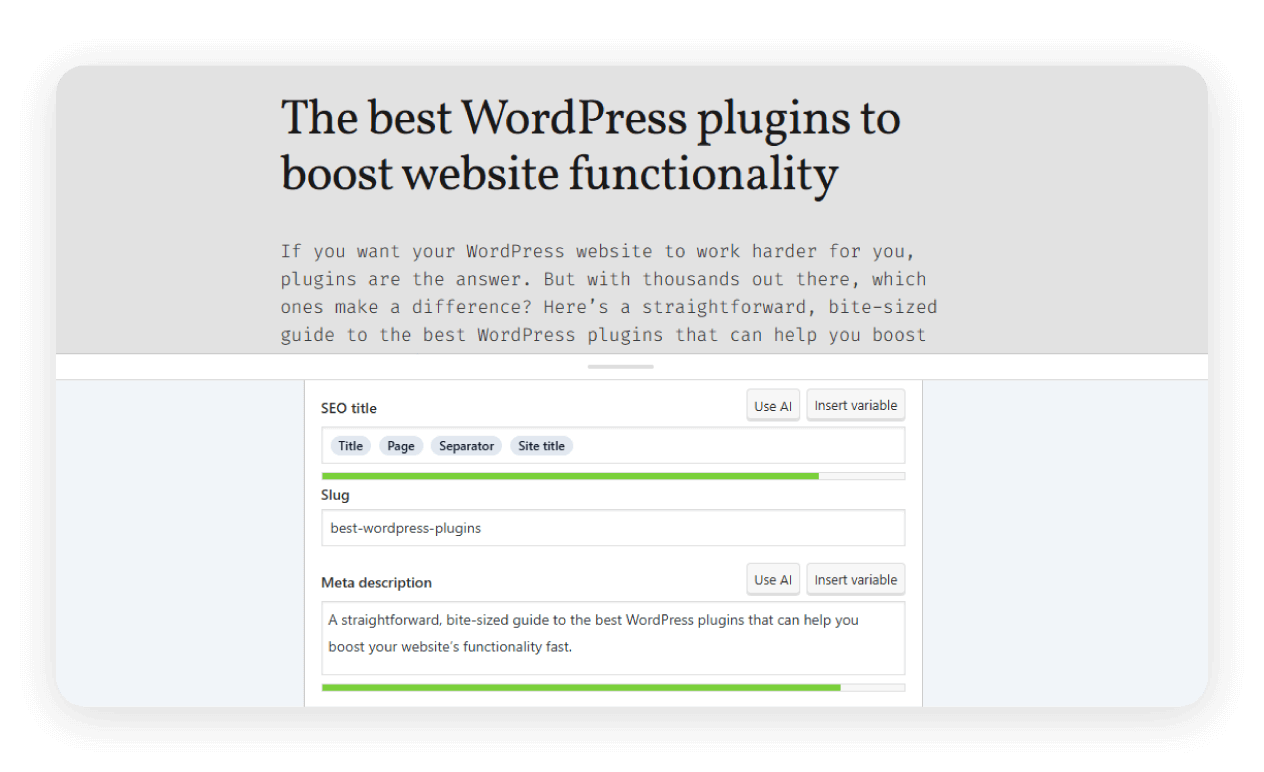
Este plugin hace que sea sencillo optimizar tus entradas y páginas para los motores de búsqueda. Obtienes orientación clara sobre palabras clave, legibilidad, meta descripciones, enlaces internos, etiquetas de título y contenido de entradas de blog, para que más personas puedan encontrarte. Yoast SEO se actualiza regularmente para reflejar los algoritmos más recientes de los motores de búsqueda.
Más allá de la optimización básica, Yoast SEO ofrece funciones avanzadas como la generación de mapas del sitio XML, lo que ayuda a los motores de búsqueda a indexar tu sitio de manera más eficiente. También te permite personalizar cómo aparece tu contenido en redes sociales con la integración de Open Graph y Twitter Card, asegurando que tus publicaciones se vean muy bien cuando se compartan.
WPForms – Conéctate con tus visitantes
La creación de formularios con arrastrar y soltar te permite agregar formularios de contacto, encuestas o registros en solo unos minutos. No se necesita programación. El plugin simplifica la creación de formularios con una interfaz intuitiva y ofrece una integración fluida con otras herramientas.
WPForms admite funciones avanzadas, como la lógica condicional, que te permite mostrar u ocultar campos según las respuestas del usuario, brindando una experiencia más personalizada. También se integra con herramientas de automatización como Zapier, para que puedas conectar tus formularios con miles de aplicaciones y optimizar tu flujo de trabajo.
WooCommerce – Empieza a vender en línea
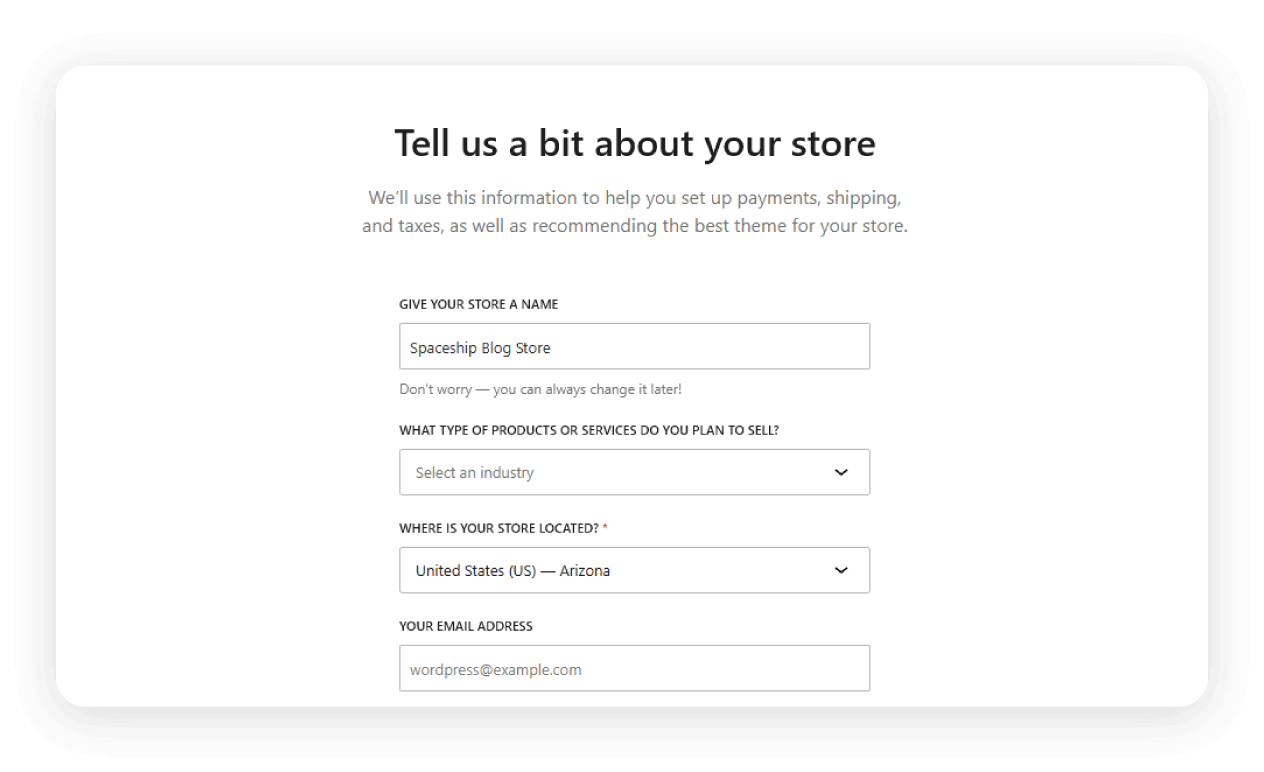
Cuando quieres vender productos y servicios en línea, WooCommerce es el mejor plugin para crear una tienda de comercio electrónico, directamente desde tu panel de WordPress. Te ayuda a llegar a más compradores potenciales y a hacer crecer tu negocio al funcionar sin problemas con todos los temas populares para tiendas.
WooCommerce facilita la gestión de cualquier tipo de inventario con útiles herramientas de categorización y filtrado de productos. También admite docenas de pasarelas de pago y ofrece analíticas integradas, lo que te permite hacer seguimiento de las ventas y obtener una comprensión más profunda de tus clientes.
Hustle – Haz crecer tu audiencia y tus leads
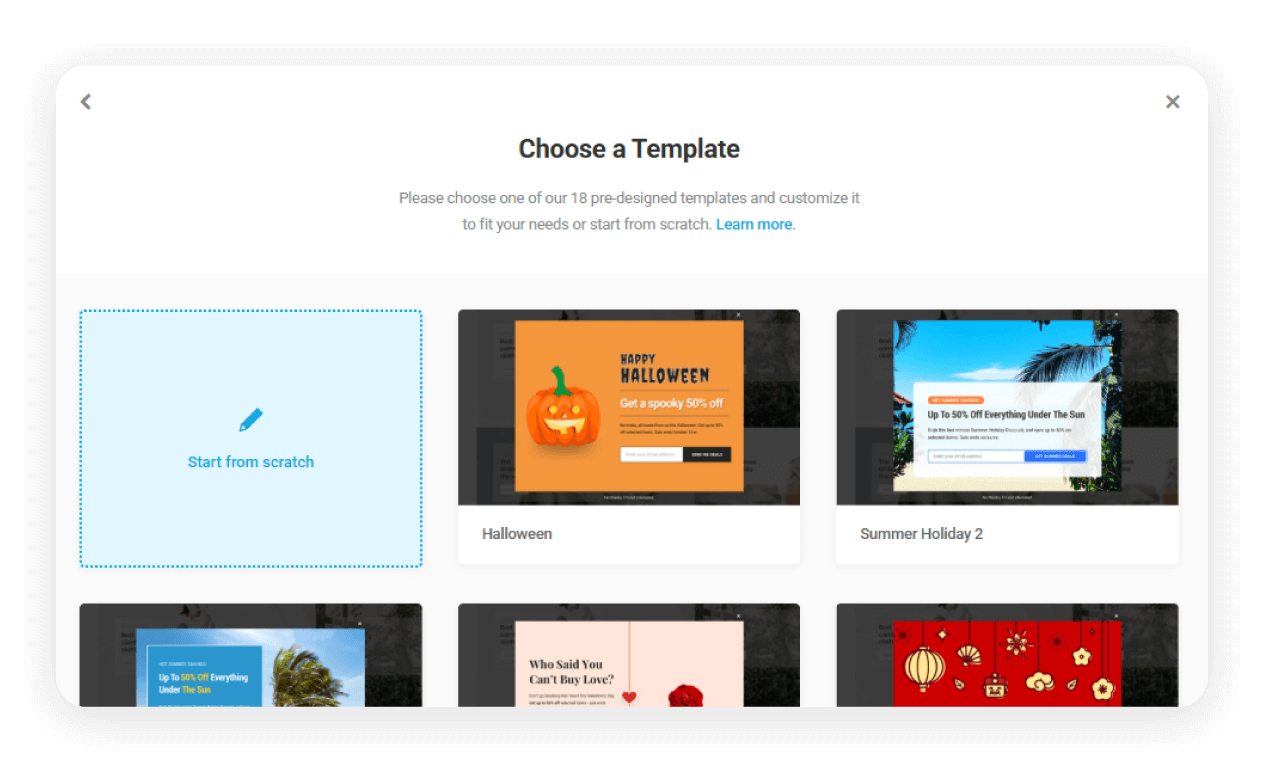
Con Hustle, puedes crear fácilmente popups, deslizables, formularios de suscripción y campañas de marketing segmentadas usando plantillas diseñadas por profesionales. Este plugin de WordPress también admite compartir en redes sociales, ayudándote a ampliar tu alcance e interactuar con los visitantes, todo con estilos flexibles y analíticas detalladas.
Hustle proporciona acceso a una biblioteca de plantillas prediseñadas para popups y formularios de suscripción, lo que te permite lanzar nuevas campañas rápidamente. También cuenta con opciones avanzadas de segmentación y programación, lo que te permite mostrar tus ofertas a los visitantes correctos en el momento adecuado.
Smush – Acelera tu sitio
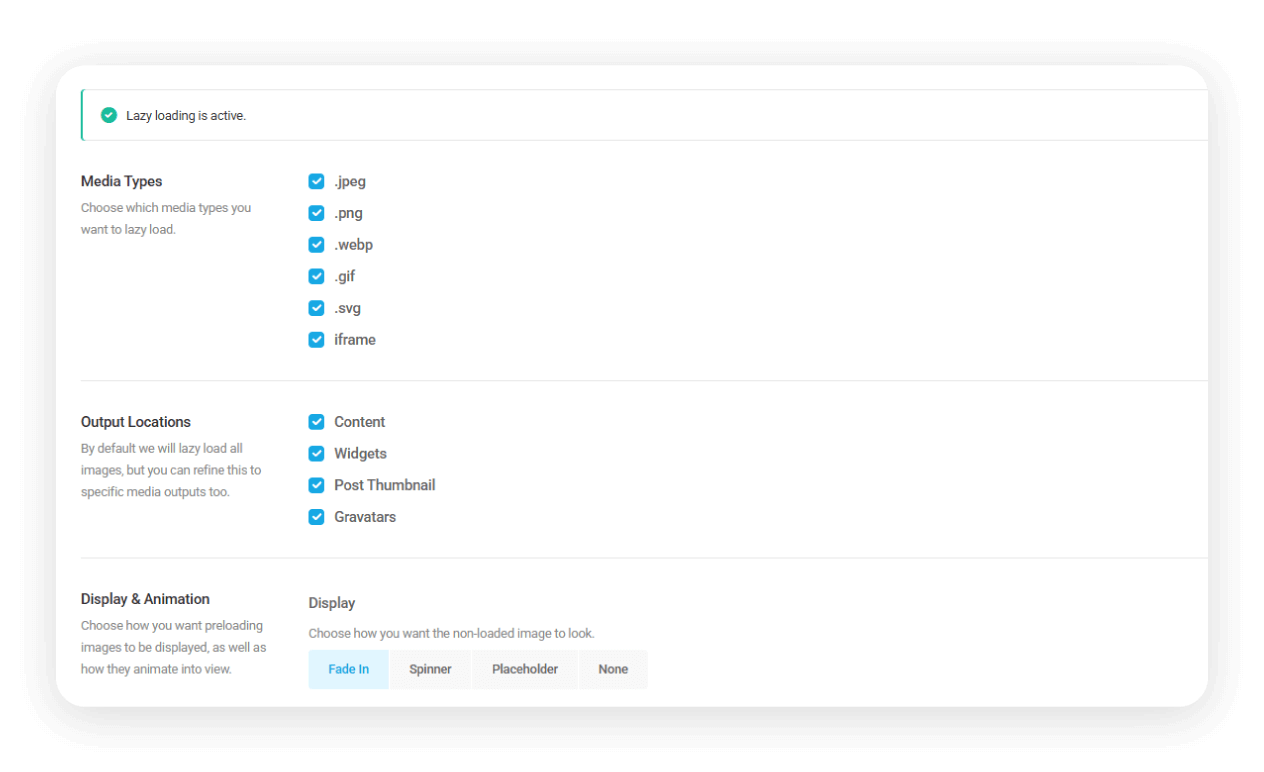
Las páginas que cargan rápido mantienen contentos a los visitantes, y también a Google. Smush comprime y optimiza automáticamente tus imágenes para mejorar la velocidad de la página y la optimización móvil. El plugin también ofrece capacidades de carga diferida, lo que significa que las imágenes solo se cargan cuando los usuarios se desplazan hacia abajo en la página, reduciendo los tiempos de carga iniciales y ahorrando ancho de banda, algo especialmente útil para visitantes con conexiones más lentas o dispositivos móviles.
También ofrece optimización masiva de imágenes e informes detallados, para que puedas supervisar las mejoras y mantener tu biblioteca multimedia en excelente estado.
Divi Builder – Diseña cualquier cosa visualmente
Mientras que la mayoría de los temas ofrecen una apariencia fija, el plugin Divi Builder te brinda total libertad de diseño sobre todo tu sitio web. Reemplaza el editor de bloques estándar de WordPress con una interfaz visual intuitiva donde puedes arrastrar y soltar elementos, ajustar el espaciado interno y dar estilo a las fuentes en tiempo real. Es la herramienta perfecta para crear impresionantes páginas de destino o entradas de blog que destaquen entre la multitud.
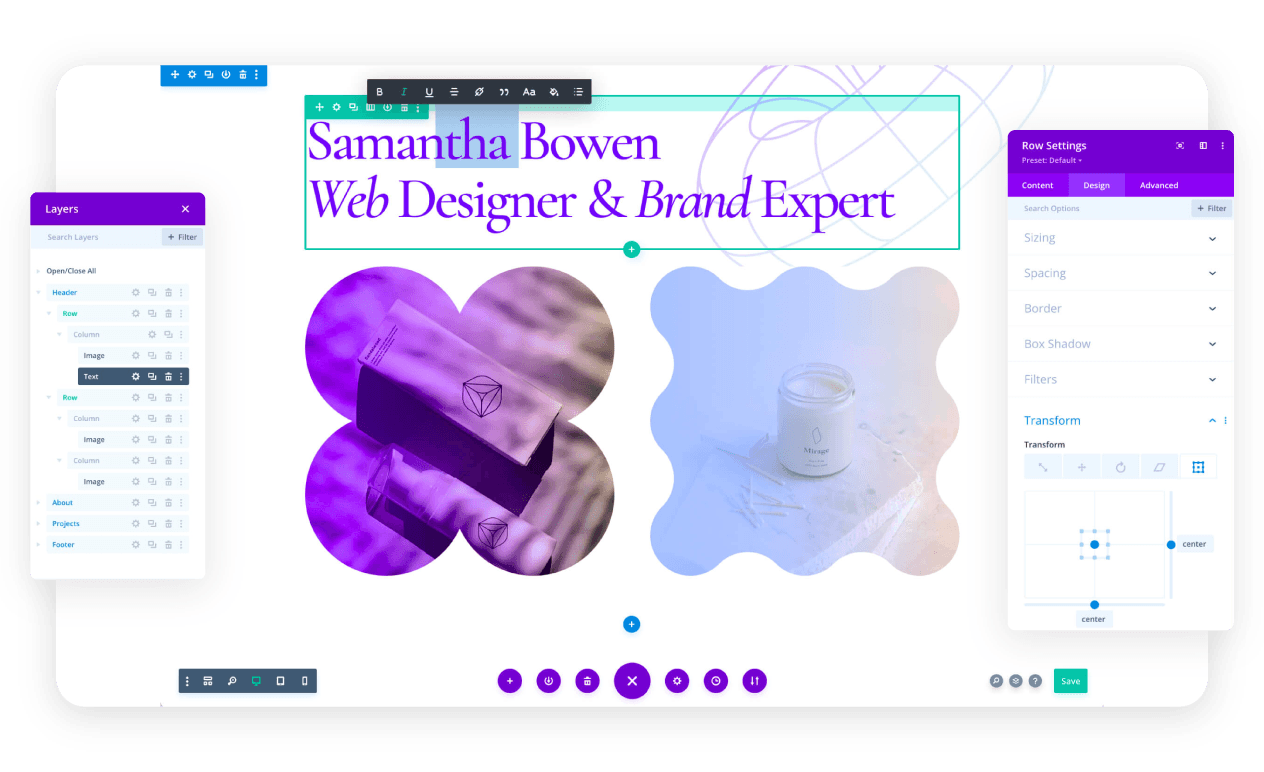
Más allá del contenido de la página, el avanzado Theme Builder de Divi te permite diseñar encabezados, pies de página y diseños de producto personalizados que se aplican globalmente en todo tu sitio. Con el lanzamiento de Divi 5, el constructor ahora es increíblemente rápido y ligero, lo que garantiza que tus hermosos diseños no ralenticen la experiencia de tus usuarios. Funciona con cualquier tema de WordPress, dándote el poder de un diseñador profesional directamente dentro de tu panel.
bbPress – Crea una comunidad
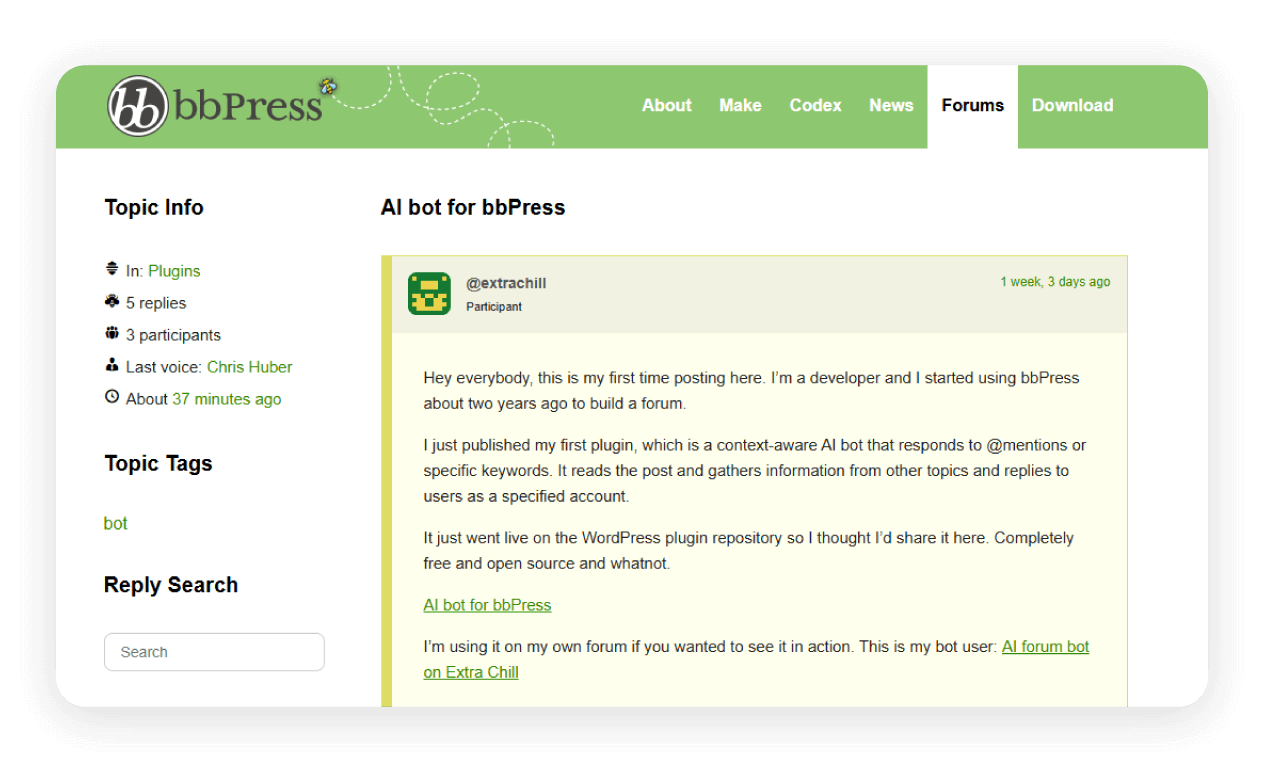
Agrega foros de discusión con todas las funciones a tu sitio de WordPress con bbPress. Es ligero, rápido y se integra perfectamente con tus cuentas de usuario existentes de WordPress. Con bbPress, puedes crear múltiples foros, permitir el etiquetado de temas, habilitar membresías y permitir que los usuarios marquen favoritos, todo mientras mantienes la misma apariencia y experiencia de tu sitio principal. Es perfecto para crear áreas de soporte al cliente, bases de conocimiento o espacios comunitarios vibrantes.bbPress es altamente extensible, lo que te permite agregar funciones como votaciones, respuestas privadas y archivos multimedia adjuntos mediante el complemento BBP Core. También se integra con constructores de páginas como Brizy y Elementor, lo que facilita personalizar la apariencia y experiencia de tus foros para que coincidan con tu marca.
Consejos rápidos para elegir plugins adicionales

Sin importar qué tan completo sea tu conjunto inicial de plugins, cada sitio web tiene sus propias necesidades únicas. Mientras exploras la biblioteca de plugins de WordPress, ten en cuenta estos consejos rápidos para ayudarte a elegir las herramientas adecuadas para tus objetivos de pequeña empresa y asegurarte de que tu sitio funcione sin problemas y de manera eficiente.
Revisa las reseñas y calificaciones del plugin dentro del repositorio de WordPress para ver comentarios reales de usuarios e identificar posibles problemas.
Busca una demo en vivo o capturas de pantalla para que puedas previsualizar cómo funciona el plugin antes de instalarlo.
Prueba el plugin en una página no publicada o de staging de tu sitio web para asegurarte de que funcione como se espera y no cause conflictos.
Confirma que el plugin se actualiza regularmente y es compatible con tu versión de WordPress.
Revisa las opciones de soporte y la documentación del plugin para asegurarte de que puedas obtener ayuda si la necesitas.
Instala solo los plugins que realmente necesites para mantener tu sitio funcionando de forma rápida y fluida.
Lleva tu sitio web más lejos con los plugins adecuados
Los plugins que elijas pueden marcar toda la diferencia en cómo funciona tu sitio de WordPress, cómo se conecta con los visitantes y cómo evoluciona para cumplir tus objetivos. Al comenzar con hosting optimizado y las mejores herramientas, te prepararás para tener un portal en línea rápido, seguro y lleno de contenido que a tu audiencia le encantará.
Recuerda, los mejores plugins no se tratan solo de agregar funcionalidad, sino de crear una experiencia fluida para ti y tus usuarios. Explora, prueba y crea tu conjunto de herramientas perfecto para desbloquear todo el potencial de WordPress.
Preguntas frecuentes
No hay un límite establecido, pero usar demasiados plugins puede ralentizar tus páginas y aumentar el riesgo de problemas de seguridad. Enfócate en instalar solo los plugins que realmente necesitas y revisa regularmente tus plugins activos para eliminar los que sean innecesarios o estén desactualizados.
Los plugins gratuitos en el repositorio de WordPress oficial suelen ser seguros, especialmente aquellos con calificaciones altas, actualizaciones frecuentes y una gran cantidad de instalaciones activas. Siempre revisa las reseñas antes de instalar y evita descargar plugins de sitios de terceros no confiables.
Antes de agregar un nuevo plugin a tu sitio en vivo, pruébalo en una página no publicada o de staging para comprobar su impacto en el rendimiento. También puedes leer las reseñas de usuarios en el repositorio de WordPress para conocer comentarios sobre la velocidad y buscar plugins que se actualicen con regularidad.

Artículos sugeridos




Comparte tus pensamientos