Cách kiểm tra việc triển khai Hyperlift bằng một kho lưu trữ mẫu
Hướng dẫn này sẽ đưa bạn từng bước triển khai một ứng dụng demo đơn giản bằng Hyperlift.
Để giúp bạn kiểm tra nhanh quy trình build và triển khai mà không cần chuẩn bị một ứng dụng production hoàn chỉnh, chúng tôi đã tạo Hyperlift Test Repository.
Bước 1: Truy cập kho kiểm thử
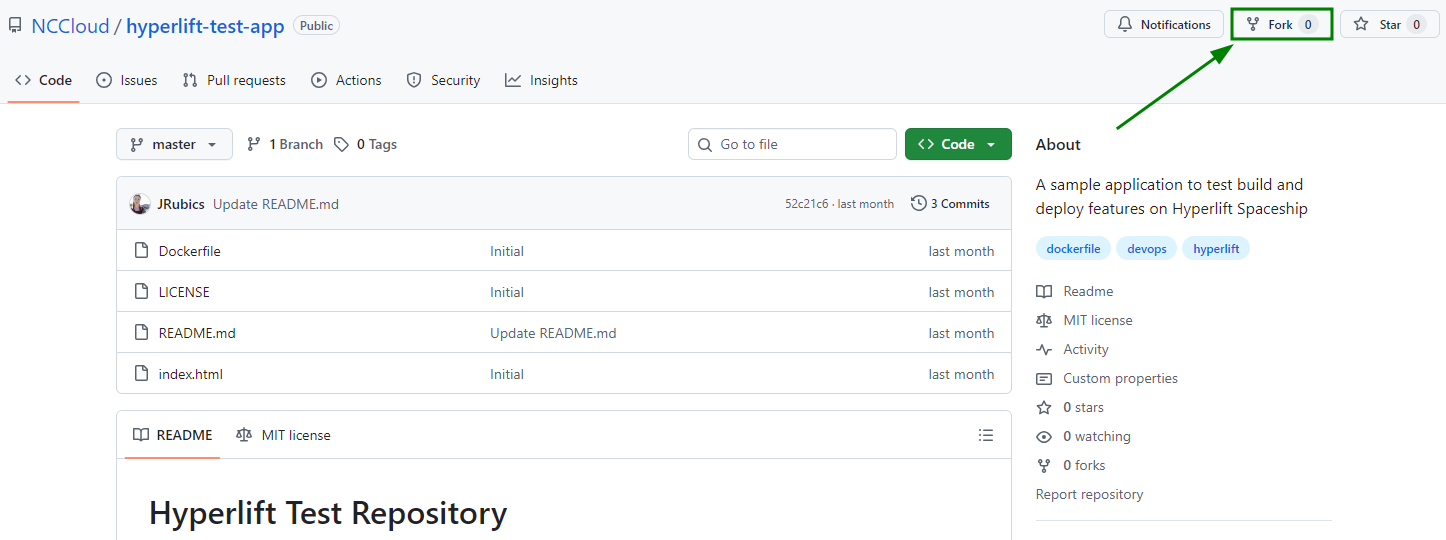
Truy cập kho kiểm thử GitHub công khai của chúng tôi: Hyperlift Test Repository;
Nhấp vào “Fork” để thêm nó vào tài khoản GitHub của riêng bạn:
Bước 2: Xem lại Dockerfile
Kho này đi kèm một Dockerfile đơn giản làm ví dụ, bắt đầu bằng một image cơ sở: FROM python:3-slim:
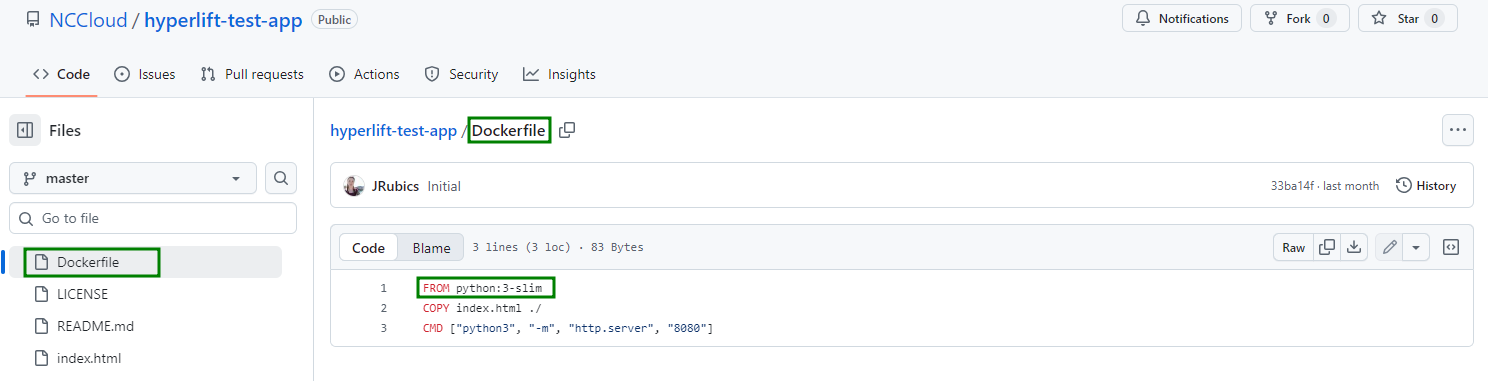
Bạn có thể thay thế bằng image và thẻ tùy chọn của mình, ví dụ: FROM golang:1.25.
Chúng tôi khuyên bạn luôn chỉ định thẻ để các bản build của bạn luôn nhất quán và đáng tin cậy.
Bước 3: Kết nối kho với Hyperlift
Trong tài khoản Spaceship của bạn, hãy vào menuHyperlift Manager.
Kết nối kho GitHub đã fork của bạn bằng cách làm theo các bước trong hướng dẫn này.
Bước 4: Triển khai ứng dụng
Sau khi repo GitHub được kết nối với Hyperlift, hãy nhấp vào nút “Build” trong Hyperlift Manager:
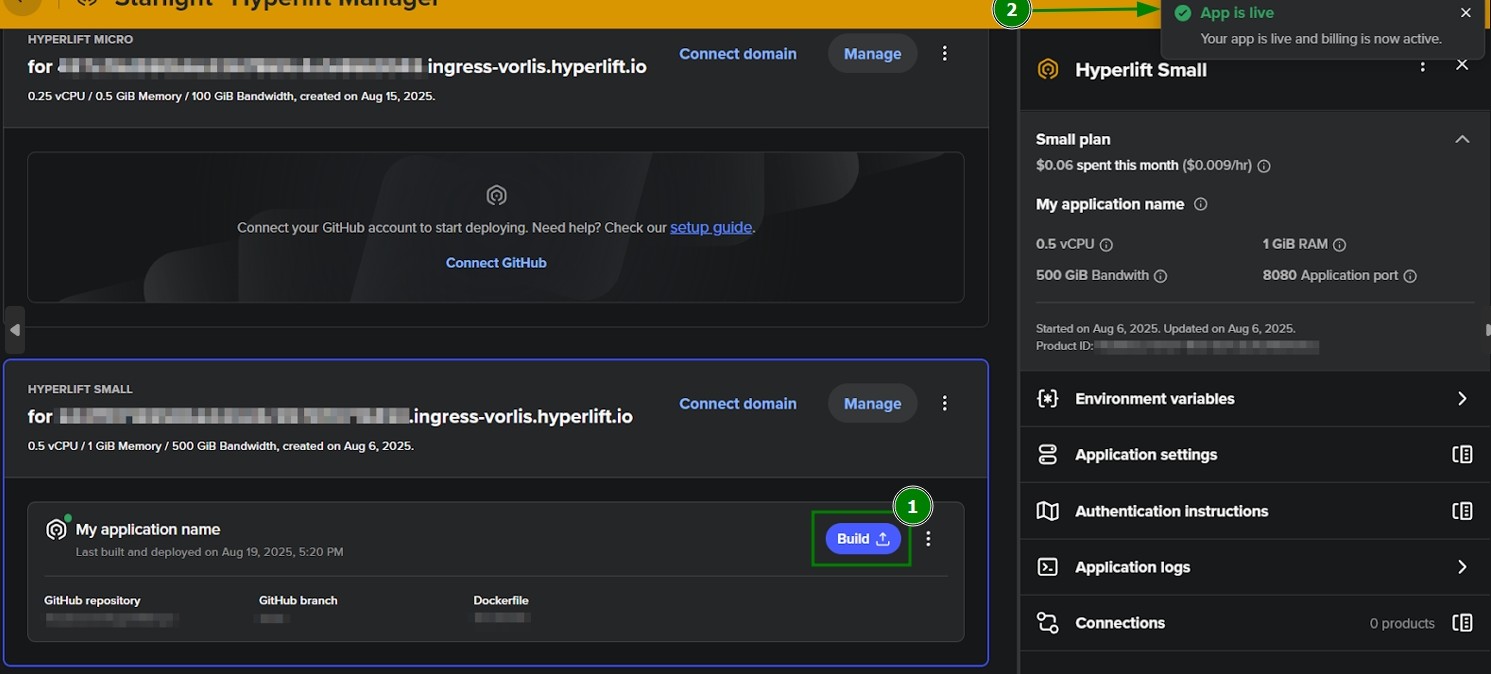
Hyperlift sẽ tự động build image container của bạn và chỉ trong vài phút, ứng dụng demo của bạn sẽ hoạt động. Khi hoàn tất, bạn sẽ thấy thông báo tương ứng “App is live”.
Bước 5: Thử nghiệm và tìm hiểu
Sau khi ứng dụng được build và kích hoạt, hãy thử chỉnh sửa mã trong repo của bạn và đẩy các thay đổi lên. Hyperlift sẽ triển khai lại nếu tính năng build tự động được bật.
Bạn cũng có thể khám phá nhật ký build và ứng dụng trong Hyperlift để hiểu rõ hơn cách hoạt động của quy trình build.
Cuối cùng, hãy dùng repo này như một môi trường sandbox an toàn trước khi chuyển sang các ứng dụng thực tế.
Các bước tiếp theo
Kho này là cách nhanh chóng để kiểm tra việc triển khai Hyperlift. Nó được cố ý giữ đơn giản nhưng vẫn minh họa luồng cốt lõi là fork > connect > deploy. Khi đã quen, bạn có thể chuyển sang triển khai các ứng dụng của riêng mình.
Để làm điều này, bạn sẽ cần tạo một Dockerfile với image cơ sở và các cấu hình cần thiết. Tài liệu sau sẽ hữu ích cho bạn: