How do I cancel a Spacemail subscription?
If you would like to cancel your Spacemail subscription, you can do this from your Spaceship account.
Important: Spacemail subscriptions cancelled through the Spaceship account are non-refundable.
To cancel your Spacemail subscription, please:
Log in to the Spaceship account and go to Subscription Manager.
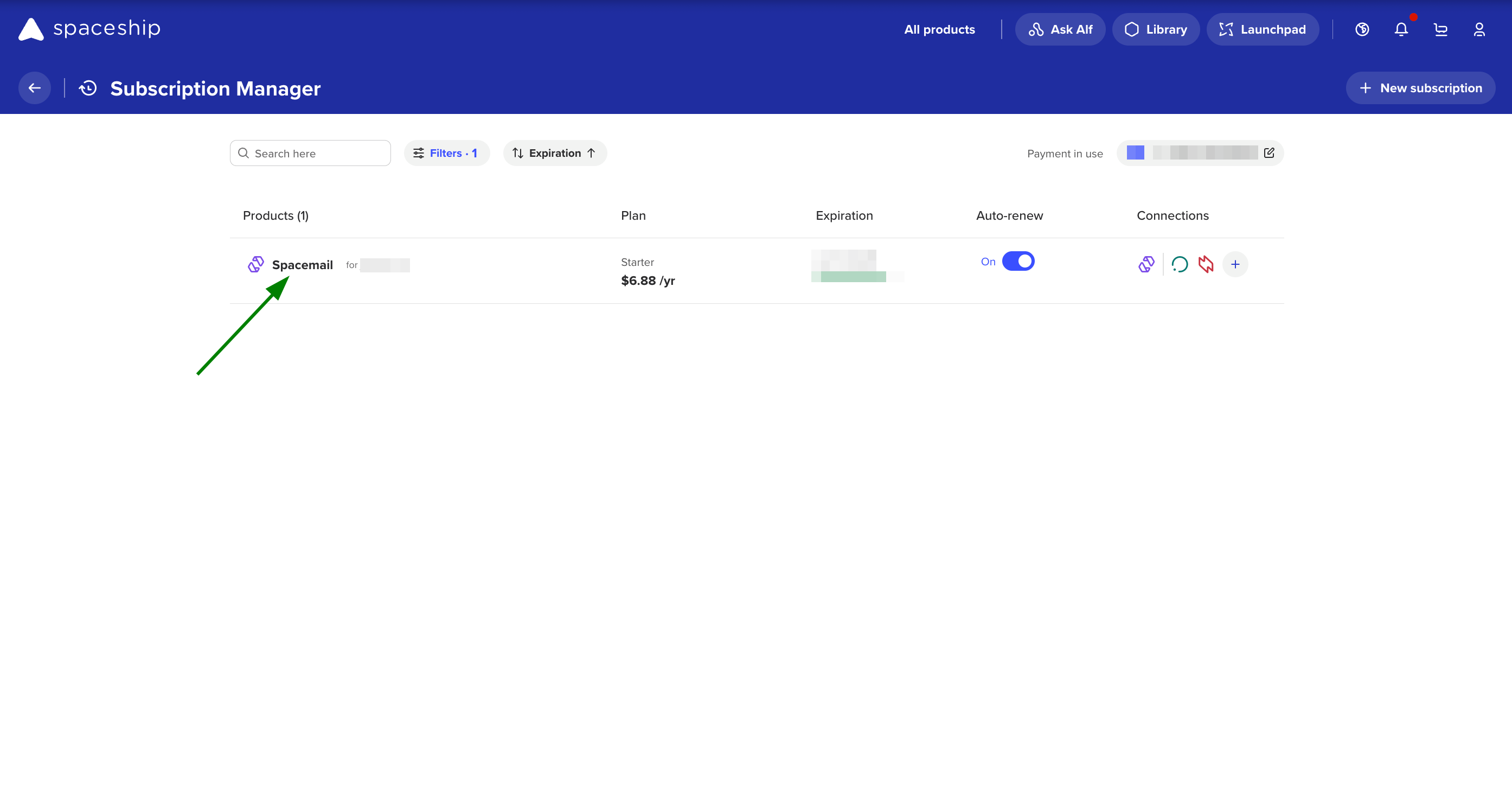
Select the Spacemail subscription you wish to cancel.
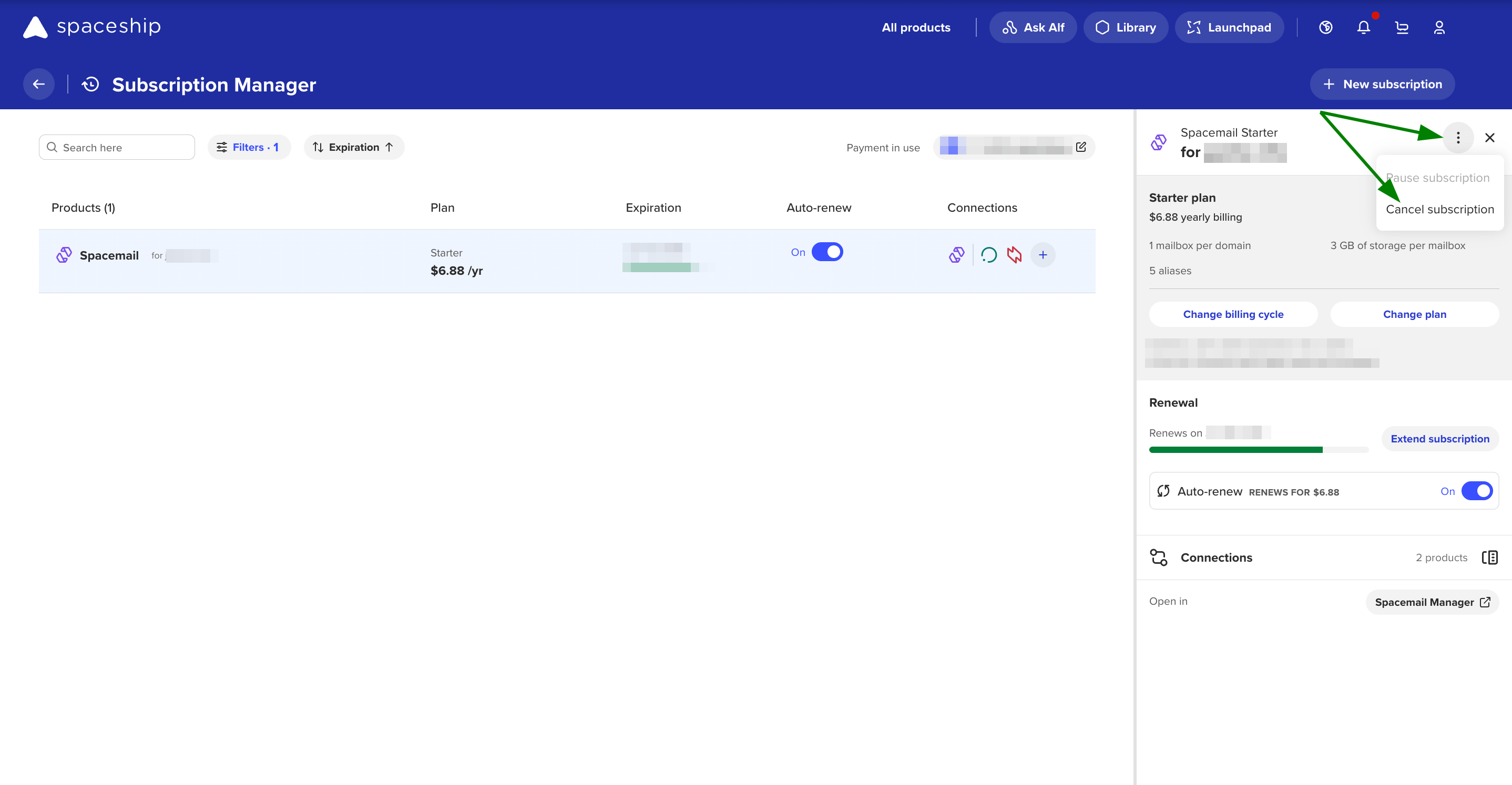
A window will appear on the right side of the screen. Please click the three dots and then select the “Cancel Subscription” option
NOTE: When a Spacemail subscription is cancelled, all the data in it (including emails, attachments, etc.) will be deleted.
If you have any questions or concerns, please do not hesitate to contact us anytime in Chat or submit an email to support@spaceship.com