
İnternet teknolojileri hızla değişip dönüşürken ve neredeyse her gün yeni araçlara yer açarken, bazı şeylerin zamana meydan okumaya devam etmesi dikkat çekicidir. Örneğin, günümüzün birçok içerik üreticisi, “sadece” web sitelerinden çok uygulama gibi hissettiren yeni çevrimiçi deneyimler oluşturmak için WordPress kullanıyor. Hem pratik hem de kârlı yeni nesil WordPress projeleri oluşturmak için insanların kullandığı en iyi kaynaklardan bazılarına göz atalım.
WordPress hâlâ modern içerik üreticilerinin araç seti
Birçok deneyimli web geliştiricisi için WordPress geçmişten kalma bir şey gibi gelebilir. Yine de WordPress Projesi’nin çekirdek geliştiricileri, bu içerik yönetim sistemini (CMS) gelişen teknolojiyle aynı seviyede tutmak için çok çalıştı. Birçok bilgili kullanıcı onu geleneksel blogların ve tanıtım sitelerinin çok ötesine taşıyor. Blok temaları, yenilikçi eklentileri ve performans odaklı hostingi birleştirerek özel web uygulamalarıyla yarışan hızlı, mobil uyumlu projeler oluşturuyorlar.
Sıfırdan, test edilmemiş kodla başlamak yerine mevcut WordPress site oluşturma becerilerini temel alıyor, uygun maliyetlerden ve dünyanın en büyük ve en iyi test edilmiş çevrimiçi platformlarından birinden yararlanıyorlar.
Web sitelerinden uygulama benzeri deneyimlere
Çevrimiçi dünyadaki önemli bir değişim, statik sayfalardan özellikle mobilde yerel uygulamalar gibi davranan deneyimlere geçiştir. Bu değişim muhtemelen son 5 yılda video ve animasyonlu içeriğin benzeri görülmemiş ölçüde yaygınlaşmasından kaynaklanıyor. İnsanlar etkileşimli, özelleştirilmiş bir deneyim bekliyor, ancak bunun da hızlı yüklenmesi ve kusursuz çalışması gerekiyor.
Bunu başarmak için içerik üreticileri, telefonlarda sitelerin akıcı ve dokunmaya uygun hissettirmesi amacıyla duyarlı WordPress blok temalarını sezgisel gezinme, sadeleştirilmiş grafik tasarım ve göz önünde olmayan akıllı menülerle eşleştiriyor. Bazı projeler daha da ileri giderek, WordPress’i içerik motoru olarak tutarken ultra hızlı, uygulama tarzı ön yüzler sunmak için headless WordPress ile Next.js veya Faust.js gibi JavaScript framework’lerini kullanıyor.
Diğerleri, AppPresser veya MobiLoud gibi eklentileri kullanarak başarılı siteleri tam teşekküllü mobil uygulamalara dönüştürüyor ve WordPress içeriklerini sıfırdan yeniden oluşturmadan iOS ve Android’e taşıyor.
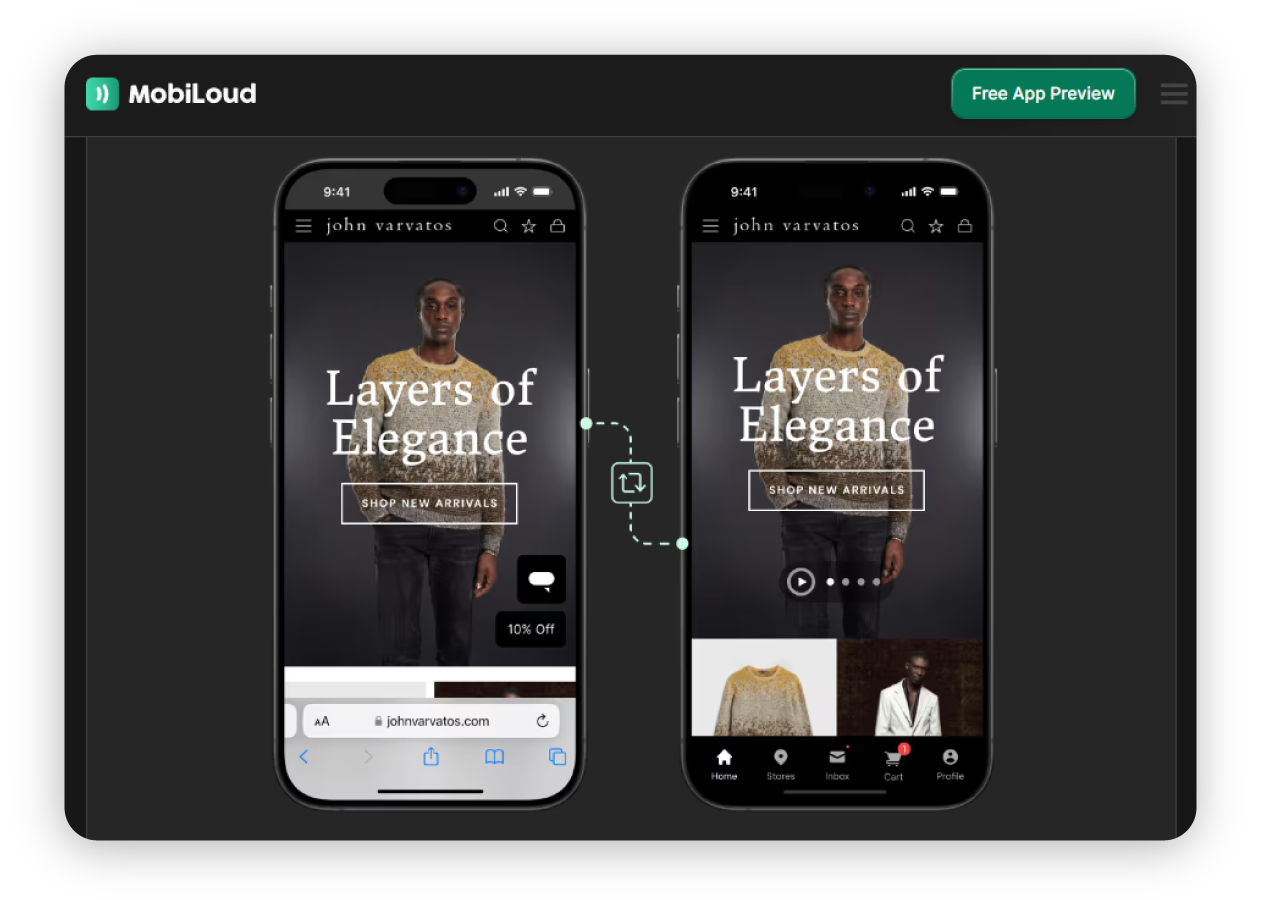
Yukarıda WordPress ve MobiLoud ile oluşturulan web sitesi örneğinin, kaydırılabilir bir banner ve altta gizlenmiş bir menüyle, bir uygulamada bekleyeceğiniz türden bir sayfa deneyimi yarattığına dikkat edin. Kullanıcının sitede gezinmek için ihtiyaç duyduğu her şey açıkça gösterilir, ancak dikkat dağıtmayacak şekilde sunulur; böylece odak öncelikle ürün içeriğinde kalır.
Modern UX: abonelikler, ödeme duvarları ve üyeler
Yeni nesil WordPress projeleri giderek daha fazla SaaS ve yayın platformlarından kalıplar ödünç alıyor:
Abonelikler
Erişimi kısıtlı içerik
Üye toplulukları
Yorum bölümleri
Özelleştirme seçenekleri
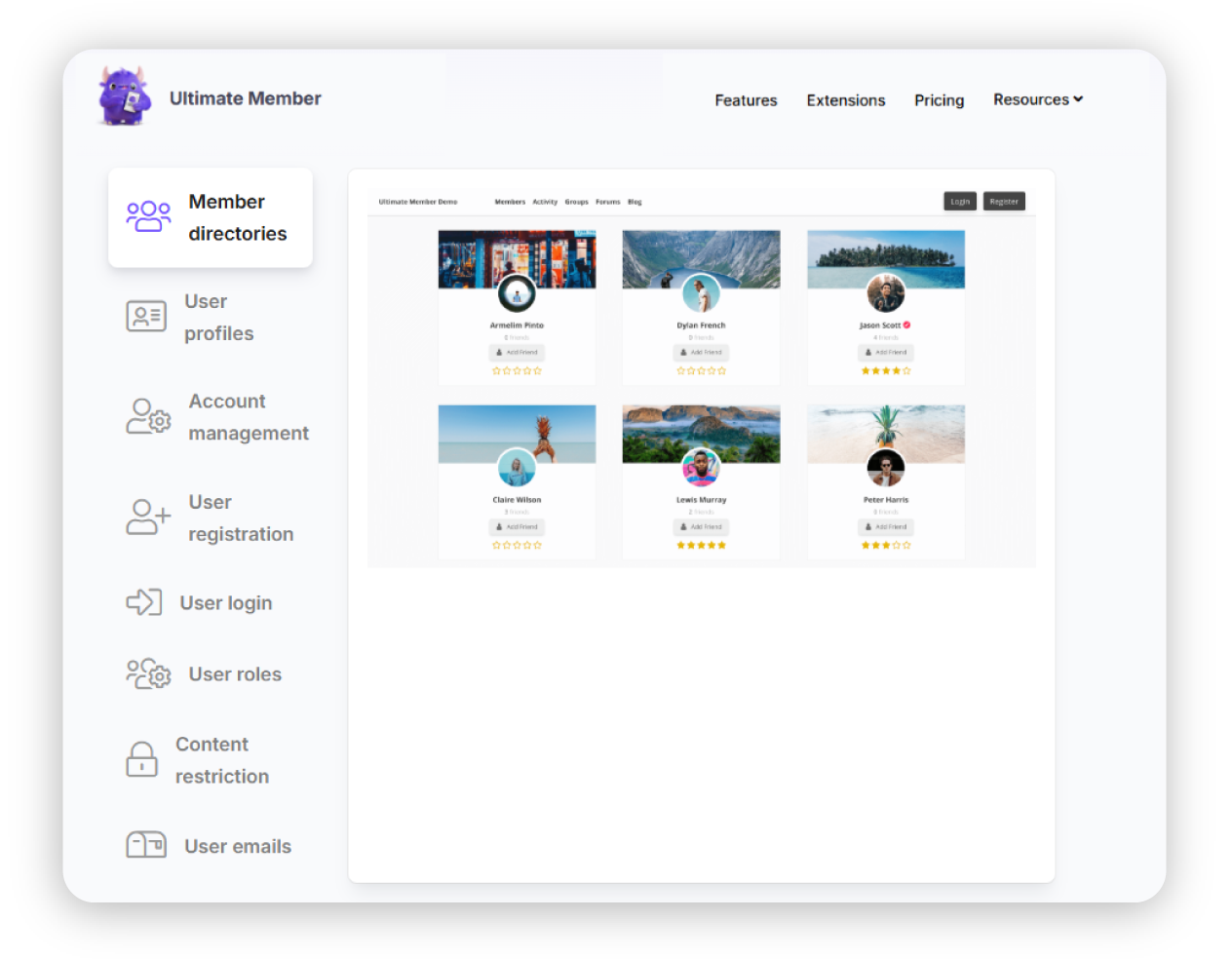
İçerik üreticileri, premium gönderiler, kurslar veya kaynak kütüphaneleri için ücret almak amacıyla MemberPress ve Ultimate Member gibi üyelik ve ödeme duvarı eklentilerini tamamen WordPress içinde kullanıyor. Bu eklentiler ödeme ağ geçitlerini ve yinelenen faturalandırmayı yönetir; böylece tek başına çalışan bir içerik üreticisi, özel uygulama geliştirmeye gerek kalmadan denemeler, katmanlar ve ek satışlar içeren bir abonelik işi yürütebilir.
Bu tür ücretli üyelik sitelerine adanmış bazı tanınmış platformlar vardır, ancak bunların çoğu hem sizin hem de kullanıcılarınız için birer abonelik tuzağıdır. Siz, yani içerik üreticisi, platforma erişim için yüksek bir aylık ücret ödemek zorunda kalırsınız ve ardından kullanıcılarınız, içeriğiniz için size ödediklerine ek olarak her türlü platform eklentisine yönlendirilebilir. Bazı premium WordPress eklentileri yıllık ücret alsa da yüzlerce ücretsiz seçenek vardır ve varsa lisans ücretleri genellikle düşüktür.
Yukarıdaki örnekteki Ultimate Member gibi bazı WordPress eklentileri, e-posta otomasyonu, yeni üyeleri karşılamak için otomatik mesajlaşma, aşamalı içerik sunumu ve kullanıcı kaybını düşük tutma yolları sunarak “basit” bir WordPress kurulumunu eksiksiz bir üyelik platformuna dönüştürür.
Etkileşimli atölyeler, kurslar ve etkinlikler
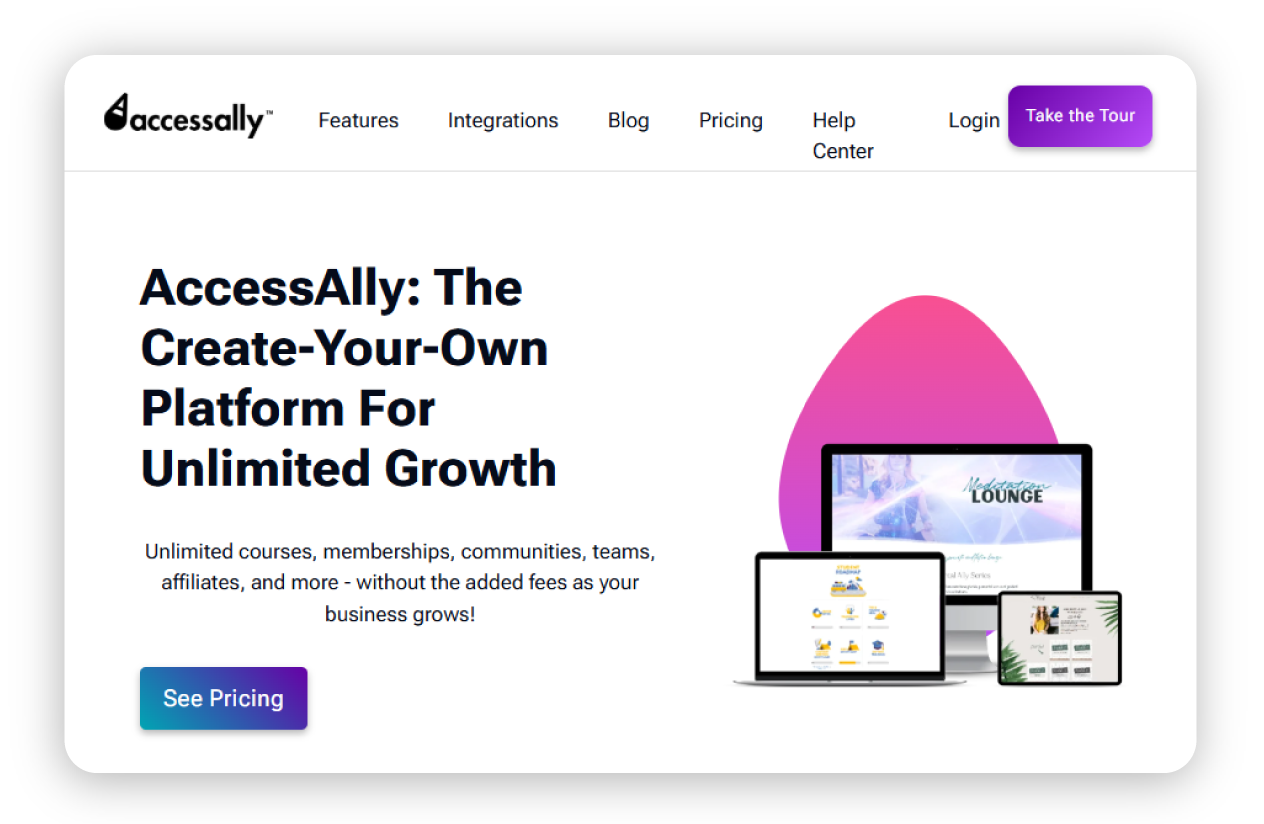
Günümüzde birçok modern içerik üreticisi artık WordPress sitelerini canlı eğitim ve etkinlik platformları olarak görüyor. LearnDash veya AccessAlly gibi öğrenme yönetim sistemi (LMS) eklentileri, yapılandırılmış kursları, testleri ve sertifikaları bir ödeme duvarının arkasında barındırmalarına olanak tanır; üstelik tümü zaten bildikleri kontrol panelinden yönetilir.
Diğerleri ise e-learning themes, takvim entegrasyonları ve video hizmetlerini membership plugins ile birleştirerek sanal atölyeler ve gruplar yürütüyor; böylece kiralık platformlar yerine tamamen kendi alan adlarında yaşayan rehberli öğrenme alanları oluşturuyorlar.
Yeni nesil projeleri güçlendiren temel araçlar
Bu yeni nesil WordPress projelerinin arkasında genellikle özenle seçilmiş bir tema ve eklenti yığını bulunur. Aslında standart bir seçenek seti yoktur, çünkü her fikrin kendine özgü gereksinimleri vardır. Ancak farklı içerik üreticilerinin ihtiyaç duyduğu araç türlerinde oldukça fazla ortak nokta olabilir.
|
Zaten sahip olduğunuz becerilerle daha büyük düşünmek
“Sadece bir web sitesi”nden fazlasını oluşturmak isteyen deneyimli WordPress kullanıcıları için, umarız zaten ihtiyaç duyduğunuz becerilere sahip olduğunuzu görebilirsiniz. WordPress’i bırakıp sıfırdan yeni bir yapı öğrenmek yerine, size tam olarak ihtiyacınız olanı sunan yenilikçi araçlarla mevcut WordPress uzmanlığınızın üzerine inşa edin.
Sayfalar yerine deneyimler açısından düşünerek WordPress’i, gelecekte de kullanıcılara iyi hizmet edecek yeni nesil ürünler, topluluklar ve markalar için bir launchpad hâline getirebilirsiniz.
Sıkça sorulan sorular
Bir WordPress sitesine, duyarlı blok temaları temiz ve sade düzenler, sezgisel gezinme ve ihtiyaç duyulana kadar ortada görünmeyen mobil öncelikli menülerle birleştirerek uygulama benzeri bir his verebilirsiniz.
İçerik üreticileri genellikle abonelikleri, erişime kapalı içerikleri ve yalnızca üyelere özel alanları doğrudan WordPress içine eklemek için üyelik ve ödeme duvarı eklentilerine güvenir. Bu araçlar yinelenen ödemeleri, kademeli erişimi ve deneme sürelerini yönetir; böylece özel bir faturalandırma sistemi kurmadan premium gönderiler, kurslar veya kaynak kitaplıkları için ücret alabilirsiniz.
Etkileşimli atölyeler ve çevrimiçi etkinlikler genellikle WordPress öğrenme yönetim sistemi (LMS) eklentileri, e‑öğrenme odaklı temalar ve takvimler ile video platformları için entegrasyonların bir karışımıyla desteklenir.

Önerilen makaleler




Düşüncelerinizi paylaşın